iPhone vs AndroidWorld
Phones, prices and the differences you will use

iPhone vs Android in 2026: Which phone should you buy?

Choosing between iPhone and Android starts with your budget, the features you use and the devices you already own. Compare phones at the same storage capacity, see where their differences matter, and account for the cost of switching. Use the comparison below to narrow your options.

U.S. prices in USD · International models labeled separatelyHow this guide compares phones
Apple

iPhone 18 Pro Max

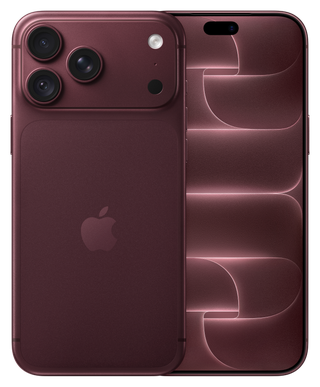
iPhone 18 Pro Max in burgundy, front and rear views
Image: Apple

Large-screen premium iPhone

$1,299 · 256GB
U.S. connect-later price · before tax
Pre-order · available September 18

Samsung

Galaxy S26 Ultra

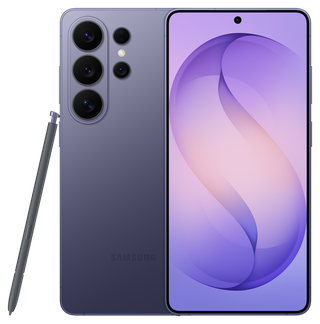
Galaxy S26 Ultra in Cobalt Violet, front and rear views with S Pen
Image: Samsung

Large-screen premium Galaxy

$1,299.99 · 256GB
U.S. standard price · before tax
Released · new

vs

iPhone: familiar apps and connected devices.

Start with the least expensive iPhone that covers your storage, camera and screen needs. Staying with iPhone can preserve familiar apps and purchases; a Mac can add useful calling, sharing and clipboard workflows. Pay more only for an improvement you will use.

Android: choose the hardware you need.

Android gives budget buyers more combinations of price, screen, battery and camera hardware. A lower-cost Pixel can cover everyday tasks; Galaxy and other brands add different lenses, charging and multitasking options. Choose the combination that fits your day and ownership budget.

iPhone vs Android: the main advantages and disadvantages

An iPhone makes sense when Apple’s connected workflows and your preferred apps justify its price. Android makes sense when a particular combination of hardware, software and price fits better. Neither advantage removes the need to compare the actual phones.

iPhone advantages—and the trade-offs

  • Connected Apple workflows: useful if you regularly move work between supported Apple devices. Owning a Mac is a reason to investigate the benefit, not a requirement to buy an iPhone.
  • A familiar software family: moving between iPhones preserves much of the interface. Camera, AI and recording features still differ by model.
  • Continuity when upgrading: staying on iPhone keeps familiar apps and existing App Store purchases available, subject to app support. Switching brands inside Android can also preserve Google Play purchases.
  • The compromises: fewer manufacturer and form-factor choices, no replacement home launcher, and a new price tier whenever the storage or camera you need is higher in the range.

Compare iPhone prices and capabilities

Android advantages—and the trade-offs

  • More hardware choices: compare compact phones, large batteries, different lenses, fast charging and folding screens across brands. No single model includes every advantage.
  • More control over the interface: supported launchers, defaults and window layouts can help repeated tasks. Setup and feature availability vary by manufacturer.
  • More ways to spend less: a lower-priced model may already cover your needs. Compare storage, support and seller conditions before calling it better value.
  • The compromises: a Galaxy, Pixel and OnePlus do not have identical software, update policies or accessories. A feature advertised for one Android phone is not a platform-wide promise.

Compare compatibility and everyday workflows

Which should you choose? Shortlist phones you can afford at the storage you need. Then weigh at least two useful advantages against carrying comfort, remaining support and switching costs. Keep your current phone if neither option solves a meaningful problem.

Start with actual phones

iPhone vs Android at the same budget.

Change the models or storage to see what the extra money buys. Every price states its purchase conditions.

iPhone 18 Pro Max costs $0.99 less at the quoted storage. 256GB / 256GB, before U.S. tax. Purchase timing differs; check the release dates on each card.

Pre-order · available September 18

iPhone 18 Pro Max

iPhone 18 Pro Max in burgundy, front and rear views
Image: Apple

$1,299.00 · 256GB

Apple U.S. connect-later price; before tax, without trade-in or carrier credits.

Worth considering for: Apple Continuity, a native 4× camera and ProRes/Log with variable-aperture control.

Look elsewhere if: you need delivery before September 18 or would not use the Pro camera and recording tools.

All iPhone 18 Pro Max price tiers
Released · new

Galaxy S26 Ultra

Galaxy S26 Ultra in Cobalt Violet, front and rear views with S Pen
Image: Samsung

$1,299.99 · 256GB

U.S. manufacturer list price; before tax, without trade-in or plan credits.

Worth considering for: native 3× and 5× lenses, pen input and DeX together.

Look elsewhere if: you would rarely use the longer camera or S Pen, or the 78.1mm width is uncomfortable.

All Galaxy S26 Ultra price tiers

iPhone 18 Pro Max combines Apple Continuity, a variable-aperture main camera and ProRes/Log recording. Galaxy S26 Ultra combines native 3× and 5× lenses, S Pen and DeX. Both have large 6.9-inch screens; weigh carrying comfort, the apps you use and the camera or work tools you will use regularly. The iPhone is on pre-order for September 18; Galaxy is available now.

Compare cameras, chips, charging and storage
DifferenceiPhone 18 Pro MaxGalaxy S26 Ultra

Camera

iPhone 18 Pro Max48MP variable-aperture main + 48MP ultrawide + 48MP native 4× telephoto.
Galaxy S26 Ultra200MP main + 50MP ultrawide + separate native 3× and 5× telephotos.

Screen and carrying size

iPhone 18 Pro Max6.9-inch / 249g; adaptive ProMotion up to 120Hz.
Galaxy S26 Ultra6.9-inch QHD+ 1–120Hz OLED; 78.1mm wide. Built-in S Pen and Privacy Display.

Chip and demanding tasks

iPhone 18 Pro MaxA20 Pro. It has the same A20 Pro and external ProRes/Log workflow as 18 Pro, with a larger 6.9-inch display. The extra screen can help timeline work, but adds carrying bulk. A shared processor does not establish identical heat, endurance or sustained frame rates.Specification source
Galaxy S26 UltraSnapdragon 8 Elite Gen 5 for Galaxy. Snapdragon powers a 6.9-inch 120Hz display, DeX and pen-based work. The 1TB launch tier also raises RAM to 16GB, which can help memory-heavy multitasking; it is not a blanket speed increase. Choose Ultra when its workspace and cameras earn their additional size and cost.Specification source

Battery and charging

iPhone 18 Pro MaxApple claims about 50% in 15 minutes with a suitable 60W+ AVS adapter. Manufacturer claim; adapter rating is not a stated phone peak.
Galaxy S26 Ultra5,000mAh typical. Samsung claims up to 75% in about 30 minutes with the specified 60W setup.

Storage and transfers

iPhone 18 Pro Max256GB quoted. 256GB, 512GB, 1TB or 2TB. Pro recording and USB 3 support an external-drive editing setup.
Galaxy S26 Ultra256GB quoted. 256/512GB with 12GB RAM; 1TB with 16GB in the cited launch configuration. UFS version is not established by that source.

Support and ownership

iPhone 18 Pro MaxApple publishes compatible operating systems rather than a fixed security-support end date in this guide’s sources. A used phone does not restart support. All listed iPhones meet Apple Intelligence’s hardware threshold; individual AI features still depend on software, region and language.Support evidence
Galaxy S26 UltraSamsung promises seven generations of OS upgrades and seven years of security updates from initial launch, reaching 2033 for this generation. Update timing varies by variant and carrier. A purchase later in the cycle does not restart that window.Support evidence

The catalog includes new, pre-owned and upcoming options, labeled separately. International models and regional prices appear in the full directory. Feature comparisons use documented capabilities; camera quality and endurance require comparable testing.

A new Android phone or a used iPhone?

Choose the new Android when its capabilities, fresh condition and purchase protections cover your needs. Choose the used iPhone when it adds a feature you will use and its condition, support and total cost still make sense. The same reasoning applies to a used Android flagship.

New versus used: compare the complete offer
CheckNew Android phoneUsed or refurbished iPhone
Price and capacityUse the actual price for the storage you need, including tax and required accessories. A lower starting price may refer to less storage.Add any immediate battery or other repair quote. A bargain at 128GB may be poor value if you already need 256GB.
Hardware you gainA current midrange phone may cover messaging, navigation and everyday photography without premium lenses.An older Pro may add a dedicated telephoto or recording format. Name that advantage; age and the original launch price do not establish value.
Battery and serviceNew condition gives you a clearer starting point, but runtime still depends on the model. Read the warranty and return terms.Inspect battery information and parts history where available. Establish who covers a fault, for how long, and whether the return process is practical.
Remaining useful lifeCheck support for this model from its original launch. Buying an older unsold phone new does not restart its update policy.Check supported software and essential apps. A replacement battery can improve endurance but cannot add missing hardware or future software eligibility.
Seller descriptionConfirm that “new” means the intended regional version with applicable local support.Private-sale used, seller-refurbished and manufacturer-refurbished are different offers. “Excellent condition” can describe cosmetics without promising a new battery.

A $600 budget: an illustrative comparison

Suppose a new Android costs $500 and needs $30 of accessories. A used iPhone costs $430, but a written battery-service quote is $100 and accessories add $30. Before tax, that is $530 versus $560. Over three years with zero assumed resale, the purchase-and-setup portion is about $177 versus $187 per year. These are hypothetical amounts, not current listings or manufacturer repair prices.

The used iPhone could still earn the extra cost if its camera or apps solve a recurring need. If both phones do the job equally well, the cheaper complete offer leaves more room for service or a future replacement. Use the same ownership period only when both devices plausibly cover it.

Before paying for a used iPhone

Check activation, carrier restrictions, battery information and any parts/service history shown. Test the cameras, charging, microphone, speakers and controls during the return window. Do not buy an Activation Locked iPhone on a promise that it will be unlocked later. Keep the seller’s condition description and return terms.

Apple: inspecting a preowned iPhone

See the catalog’s current price and condition labels · Compare the complete ownership cost

Make this comparison yours

Find phones that meet your needs.

Set a budget and choose the tasks that matter. Get named candidates, their configuration prices and the compromises to consider.

Optional · No account · Answers stay in this tab
The useful differences

iPhone vs Android, at a glance.

Start with the topic you care about. Every summary leads to its explanation below.

Everyday use

Read the comparison
iPhone

Apple Continuity and iOS defaults across the family. Conventional Pro models use Face ID; iPhone Duo uses Touch ID and adds two-app Split View.

Android

Pixel and Galaxy offer split-screen apps. Galaxy S26 Ultra adds an integrated S Pen and DeX for a desktop-style workspace.

Camera & video

Read the comparison
iPhone

18 Pro Max: a 48MP variable-aperture main camera, 48MP ultrawide and native 4× telephoto, plus ProRes/Log and external-drive recording.

Android

S26 Ultra: separate 3× and 5× telephotos. Pixel 11 Pro XL: native 5×. Xiaomi 17 Ultra: a 75–100mm optical telephoto range.

Chips & performance

Read the comparison
iPhone

Choose more processing power for demanding games or creative work. The 18 Pro family uses A20 Pro; earlier 17 Pro models use A19 Pro. Compare performance in your workload.

Android

Snapdragon 8 Elite Gen 5, Tensor G6 and Dimensity 9500 power different models. Hardware, cooling and enabled software decide the benefit.

Battery & charging

Read the comparison
iPhone

18 Pro / Pro Max: Apple claims up to 50% in about 15 minutes using a suitable 60W+ AVS adapter; wireless recovery uses a compatible MagSafe setup.

Android

S26 Ultra: 5,000mAh. Pixel 11 Pro XL: 5,115mAh. Find X9 Pro: 7,500mAh and 80W SUPERVOOC. Capacity is not a runtime ranking.

Storage & files

Read the comparison
iPhone

18 Pro Max: 256GB–2TB, USB 3 and external-drive recording. Cloud storage adds remote space; it cannot increase installed app capacity.

Android

Several flagships offer UFS 4.1. Pixel 11 Pro XL also changes from 12GB to 16GB RAM at 512GB. Capacity and memory are separate.

Price & ownership

Read the comparison
iPhone

An older Pro can retain a useful lens and video workflow. Battery service, required accessories and lost support time affect its value.

Android

Different brands offer materially different hardware at a given budget. Regional versions can change battery, SIM and charging specifications.

Compatibility

Read the comparison
iPhone

Apple Watch requires a compatible iPhone. AirDrop, Handoff and Universal Clipboard connect supported Apple devices.

Android

Pixel Watch requires Android. Pixel 11 can share directly with AirDrop through Quick Share; Galaxy DeX is a separate productivity advantage.

Support & privacy

Read the comparison
iPhone

Apple supplies model-specific iOS and security updates. Hardware-gated features differ: iPhone 15 Pro supports Apple Intelligence; ordinary 15 does not.

Android

Pixel 8 and later: seven years of OS/security support from first US availability. S26: seven OS generations and seven security years from launch.

Android is a platform, not one phone.

iPhone vs Samsung and iPhone vs Google Pixel are different device decisions. This page explains the platform choice without giving every Android phone the same camera, battery or update policy.

iPhone / iOSGoogle Pixel / AndroidSamsung Galaxy / AndroidOther Android makers

iOS vs Android in everyday use

For a smaller everyday phone, begin with iPhone 17, Galaxy S26 and Pixel 11. Galaxy adds DeX and a native 3× camera; Pixel adds a native 5× camera; iPhone adds Apple Continuity and a 48MP ultrawide. All three offer 120Hz displays. The useful differences are the tasks, size and storage price.

One of your priorities

iPhone

Conventional iPhones combine Face ID, Files, default-app controls and Apple Continuity. iPhone Duo instead uses Touch ID and adds Split View on its folding inner display. Match the exact model to the way you unlock, read, type and move between apps.

Android

Android lets you choose the manufacturer’s interface and, where supported, replace the home launcher. Pixel and Galaxy support two apps on screen; Galaxy S26 Ultra adds pen input and DeX. These are functional differences, not just themes.

What you can actually do
Task iPhone Android / named example
Use two apps visibly Conventional iPhone 17 / 18 Pro models offer Picture in Picture for supported video, but not arbitrary two-app split screen. iPhone Duo adds Split View: two supported apps, or two windows of an app such as Safari, with saved app pairs. Pixel and Galaxy support compatible apps in split screen. Galaxy Z Fold8 expands this to supported two-way and three-way Multi Window layouts; Pixel 11 Pro Fold supplies an 8-inch canvas. App support and window layout matter as much as screen size.
Change the home screen Arrange apps and widgets, personalize appearance, and select supported default apps. This does not replace iOS with a third-party home launcher. A supported launcher can change the app drawer, grid, gestures and home experience. It cannot replace the whole operating system or guarantee every manufacturer gesture works.
Choose browser and email Alternative browser and email defaults are supported. Some other default categories, including navigation or app installation, depend on country. Default applications and supported home launchers offer additional choices. Manufacturer settings and app support still matter.
Write and work on a monitor Touch and external keyboard workflows; the 17 Pro Max supports DisplayPort video output. Screen output alone is not Samsung DeX. S26 Ultra has S Pen and supports DeX on compatible external displays. DeX runs Android apps in a desktop-style interface; it does not turn them into Windows programs.
Unlock and approve a payment Conventional current models use Face ID with TrueDepth; Duo uses Touch ID. A passcode remains necessary after restart and in other protected states. The distinction affects your unlocking routine, not the whole buying decision. Fingerprint readers are available on the selected Android flagships. OPPO Find X9 Pro, Xiaomi 17 Ultra and vivo X300 Ultra specify ultrasonic readers. Face-unlock security differs by model.
Share with a nearby iPhone AirDrop handles nearby sharing with Apple devices and can receive from supported Quick Share devices. Pixel 11 supports direct Quick Share–AirDrop transfers. This is not a capability of every Android model; unsupported devices can use a separate internet-based sharing route.

Size changes the experience before the processor does

A phone’s width affects thumb reach; its weight affects long reading, filming and lying-down use. Screen diagonal measures the rectangle, not the reach to a particular button. These measurements exclude a case and camera attachments. The iPhone 18 Pro is included as a size reference, separately from released phones.

Display and handling: named models
Model Screen / refresh capability Width / weight
iPhone 18 Pro 6.3-inch OLED; adaptive up to 120Hz 71.9mm / 211g
iPhone 17 Pro Max 6.9-inch OLED; adaptive up to 120Hz 78.0mm / 233g
Galaxy S26 6.3-inch; 1–120Hz 71.7mm / 167g
Galaxy S26 Ultra 6.9-inch QHD+; 1–120Hz 78.1mm / 214g
Pixel 11 Pro XL 6.8-inch LTPO OLED; 1–120Hz 76.5mm / 226g
OPPO Find X9 Pro 6.78-inch AMOLED; up to 120Hz 76.46mm / 224g
vivo X300 Ultra 6.82-inch; 1–144Hz 76.81mm / 232–237g by finish

What 120Hz, 165Hz and peak brightness mean

120Hz can refresh the screen every 8.3 milliseconds; 60Hz every 16.7ms. Smoother scrolling is a real capability, but a game must render enough frames to use it. OnePlus 15 lists 1–120Hz adaptive operation with up to 165Hz in supported gaming situations. That does not make every application run at 165 frames per second.

A small HDR highlight and a full white webpage place different demands on an OLED panel. Manufacturers’ peak-nit figures can use different screen areas and conditions, so this guide does not rank outdoor readability from those numbers. If OLED flicker bothers you, a PWM frequency alone cannot establish comfort; brightness and individual sensitivity both matter.

iMessage, RCS and SMS: what changes in a conversation

iMessage supplies Apple-to-Apple messaging over data. RCS can supply richer media, typing indicators and read receipts across supported iPhone and Android messaging services. SMS/MMS remains a fallback with a different feature set. A green bubble therefore does not mean “SMS only.”

Apple documents end-to-end encrypted RCS as a beta capability with compatible software, carriers and participants. The conversation’s encryption status matters; do not assume every RCS group is encrypted or that an encrypted conversation automatically makes its backup equally protected.

Where the extra size earns its place

Choose S26 Ultra over S26 when pen input and the longer camera matter enough to carry a wider phone. Choose a larger iPhone or Pixel when reading, editing or screen space matters more than one-handed comfort. Otherwise, the smaller models retain the everyday apps and most of the useful functions.

What changes when you use the phone every day?

The useful iPhone vs Android comparison starts with repeated actions: replying to a message, correcting a word, going back a screen and attaching a file. A slightly different routine repeated fifty times a day can matter more than a processor upgrade.

Everyday tasks: the difference you will notice
TaskiPhoneAndroid
Reply to an alertSupported notifications offer actions after you touch and hold them; iPhone is not limited to opening the app. Focus and notification settings help control interruptions.Supported apps can offer replies and actions in the notification shade. Notification categories can separate types of alerts; the controls depend on the app and phone.
Go back and switch appsFace ID models use the bottom gesture for Home and the app switcher. Going back within an app depends on its navigation controls and supported gestures.Gesture navigation includes a Back action from a side edge; supported devices can also offer button navigation. Case edges and gesture sensitivity can affect comfort.
Type names, numbers and two languagesAlternative keyboards are available. Test your own vocabulary, correction behavior and language switching; choosing a keyboard does not make every app’s text field behave identically.Keyboard apps and settings differ across brands. Try punctuation, number entry and your second language rather than assuming the supplied keyboard suits you.
Open a link or attach a documentSupported default-app choices include browsing, email and keyboards. Files and app document pickers provide file access; some default categories depend on region.Default apps and file pickers support everyday sharing too. Replacing a home launcher changes the home experience, not every settings screen or application.
Send photos to someone elseChoose between sending a file, a messaging attachment and a shared album. Those routes can differ in compression, access and internet needs.The same distinction applies. The recipient’s device, chosen app and sharing route matter more than the logo on the sending phone.

Apple: notification actions · Google: Android notification controls · Google: navigation gestures · Apple: supported default apps

iPhone vs Android customization: what are you trying to change?

For a different wallpaper, widget arrangement or keyboard, investigate both platforms. For a replacement home launcher or a particular multi-window layout, start with Android models that support it. For an automation, identify its trigger and the permission it needs: changing appearance and automating work are different requirements.

Before buying, try a short list on the actual phone: reply without opening an app, correct a sentence, go back through three screens, attach a PDF and enlarge text. This is a personal usability check, not a laboratory ranking. The result should complement your budget, camera and support requirements.

Workflows, compatibility and the cost of switching

A phone switch is easiest when your everyday apps and files move with you. Apple Continuity, Samsung DeX and Google’s sharing tools solve different tasks. Essential work and accessibility requirements belong in the shortlist; accessory replacement belongs in the switching budget.

One of your priorities

iPhone

Apple Continuity supplies Handoff, Universal Clipboard and AirDrop with supported devices. Apple Watch normally needs a compatible iPhone. These are practical conveniences and potential switching costs; weigh them alongside camera needs, budget, size and support.

Android

Android works with Pixel Watch and manufacturer-specific companion tools. Galaxy S26 Ultra adds direct-display DeX. Pixel 11’s Quick Share can exchange files with AirDrop, so nearby sharing is no longer accurately described as an entirely closed Apple advantage.

Compatibility: what carries over and what changes
What you own or need iPhone Android
Apple Watch Supported normal pairing with a compatible iPhone. Cannot replace the iPhone in normal Apple Watch pairing. A watch-replacement cost belongs in the switch.
Pixel Watch iPhone is not supported for normal pairing. Requires a supported Android phone. OS-version requirements differ by watch generation.
Mac and iPad Handoff, Universal Clipboard and other supported Continuity features. Cloud services, web apps and cable or supported sharing tools remain possible. They are not identical to every Apple Continuity feature.
Desktop-style phone workspace External display output on supported models; iPhone 17 Pro Max lists DisplayPort. Galaxy S26 Ultra supports DeX on compatible monitors / TVs. DeX on PC is a different feature and is not supported on S26 / newer One UI versions listed by Samsung.
Nearby original-file sharing AirDrop with Apple devices and supported Quick Share senders. Pixel 11 supports direct AirDrop interoperability. Other Android devices may need ordinary Quick Share or the internet-based QR route.
Bluetooth headphones Basic compatible audio is generally portable; automatic switching, spatial features and controls depend on the pair. The same distinction applies. A headphone brand name does not guarantee every ecosystem feature on every Android phone.
Paid applications and subscriptions An account-based subscription may sign in across platforms if its provider supports that arrangement. A one-time app-store purchase is not automatically a transferable licence in another store. Purchased content, in-app purchases and subscription access have separate rules.
Car, work and accessibility tools CarPlay, employer management and assistive accessories need the supported iPhone / software combination. Android Auto, work profiles and assistive tools need the supported Android combination. A required banking, hearing or employer app can rule out an otherwise attractive import.

How Pixel-to-iPhone sharing works

On a supported Pixel 11, choose the file, open Share and select Quick Share. For sending to an iPhone, set the receiving iPhone’s AirDrop visibility to Everyone for 10 Minutes, then select it and accept the transfer. To receive from an iPhone, put the Pixel in Quick Share Receive mode or enable Everyone for 10 minutes, then send using AirDrop.

That is direct interoperability on supported devices. Google also documents a QR-code route for other situations that uploads encrypted files temporarily and needs internet access. Local sharing and a temporary online link have different connectivity and data-use implications; they should not be described as the same feature.

SIMs, imports and travel: actual regional differences

Pixel 11 Pro XL: Google lists dual eSIM for the US and a nano-SIM plus eSIM arrangement for the rest-of-world version. iPhone 17 Pro Max: the cited US version is eSIM-only. A physical travel SIM therefore cannot be inserted into those US variants.

OnePlus 15: the cited Canadian model’s 80W charging differs from specifications you may see advertised for other markets. HONOR Magic8 Pro: UK and Singapore battery capacities differ. These are actual hardware/configuration distinctions, not generic reasons to distrust every import.

Confirm the exact imported model with your carrier before paying. Bands and carrier provisioning both affect VoLTE, Wi-Fi calling and eSIM activation. Satellite emergency features have separate regional and service requirements; they provide specific emergency functions rather than general satellite internet.

Which phone works better with your computer?

Choose around the computer tasks you repeat. iPhone and Mac offer integrated Continuity features; Windows connects to both platforms with different capabilities. Android and Mac work together through shared files and cloud services, with fewer integrated Apple workflows.

Phone and computer compatibility: four combinations
Your devicesUseful workflowsSetup and limitations
iPhone + MacAirDrop for nearby files; Handoff for supported tasks; Universal Clipboard for copying between devices. Supported setups also handle phone calls and messages on the Mac.Continuity requirements vary by feature. Many need the same Apple Account, compatible software, nearby devices and Wi-Fi/Bluetooth. Do not assume an older Mac supports every newer feature.
iPhone + WindowsPhone Link provides supported calls, notifications and messaging. iCloud for Windows provides a separate route for supported iCloud photos and files.Phone Link uses pairing and permissions. Its iPhone messaging does not support sending or receiving image/GIF/Memoji attachments; group conversations have limitations. It is not the full Messages app from a Mac.
Android + WindowsPhone Link supports messages, calls and notifications; additional app and clipboard capabilities depend on the supported device. Quick Share provides a separate local file-transfer route.Use the appropriate Link to Windows/Phone Link setup and permissions. App streaming is not universal. Quick Share for Windows needs compatible Windows hardware and connectivity; Samsung PCs use Samsung’s version.
Android + MacGoogle Drive and Photos provide browser-based access to uploaded files. Supported Android Quick Share implementations can exchange files with Apple AirDrop, including a Mac.Verify the exact phone supports AirDrop interoperability; ordinary Quick Share support alone is not sufficient. Shared cloud files require accounts and connectivity. Local file sharing does not add Apple Handoff, Universal Clipboard or full phone integration.

Apple: Continuity requirements · Microsoft: Phone Link setup · Microsoft: messaging limitations · Google: Quick Share for Windows · Google: Quick Share and AirDrop

A practical decision: if you only need email, documents and browser-based photo access, changing your phone may add little to your computer workflow. If you copy between devices repeatedly or rely on a specific desktop messaging feature, test that exact task. Employer-managed devices can restrict linking and cloud services even when the hardware supports them.

Choosing a phone for your child

Start with communication, supervision, durability and an affordable replacement plan. Then include the child’s camera, school and gaming needs. A family account is a setup choice; it does not establish that one platform is right for every child.

A child’s iPhone

Apple Screen Time provides app limits, downtime and content/privacy restrictions. With Family Sharing, a parent or guardian can manage supported controls from their Apple device. Ask to Buy handles eligible purchase requests separately from screen-time limits.

A parent without an Apple device should plan the management route before buying. Apple documents on-device Screen Time setup for certain teen arrangements; it is not the same as having all remote controls on an Android phone.

Apple: Screen Time setup · Apple: Family Sharing

A child’s Android phone

Google Family Link supports supervision on compatible Android devices. A parent can use its app on an iPhone or Android. Supported controls include app management, time limits and location-related functions, subject to the device, account and settings.

The reverse is different: signing a child into Google services on an iPhone does not make the iPhone fully supervised by Family Link. Most of its device-supervision tools do not work there.

Google: parental-control setup · Google: devices Family Link can supervise

Set up the essentials before handing over the phone
  • Separate accounts: use the child’s appropriate account and family setup rather than sharing the parent’s everyday login.
  • Approve purchases: distinguish app purchases, subscriptions and time-limit exceptions. A time limit alone is not a spending limit.
  • Recovery: retain the parent’s recovery access and store the controls passcode securely. Test what happens after a restart.
  • Communication: test permitted contacts, ordinary calls and the intended emergency-contact setup. A powered-off phone or unavailable network cannot provide continuous location updates.
  • Physical ownership: choose comfortable size, suitable protection and a repair budget. A hand-me-down with limited support is not automatically the cheapest long-term option.
  • Explain the arrangement: discuss what is monitored and what the child should do if a setting prevents a necessary task. Controls complement supervision and conversation.
Put the differences to work

iPhone or Android? Choose for your everyday life.

Start with the situation that resembles yours. Carry its priorities into a shortlist of two or three exact models.

Family photos & pets

For children and pets, prioritize sharp moving subjects, quick capture and comfortable one-handed use. Pixel’s Best Take and Photo Unblur can help with selected pictures after capture. For either platform, look for moving-subject examples in indoor light before paying for extra lenses.

Camera & video

Gaming & demanding apps

Start with the games you play, the frame rate they support and the time you spend away from power. OnePlus 15 combines a 7,300mAh battery with high-refresh gaming in supported titles. Look at sustained performance and handling, especially for long sessions.

Chips & performance

Travel & navigation

For travel, combine dependable navigation, enough offline storage, suitable charging and a working SIM plan. Find X9 Pro offers a large battery and several charging routes; regional service and carrying weight still matter. Check physical-SIM versus eSIM support for the version you buy.

Battery & charging

Video & creative work

iPhone 18 Pro Max supports Apple Log and external ProRes recording for a compatible editing workflow. Xiaomi 17 Ultra provides high-resolution local video options. Pixel’s 8K Video Boost adds cloud processing, making delivery time and connectivity part of the decision.

Storage & files

Work & long ownership

Choose a phone that runs your work apps and has a practical service route for the years you intend to keep it. Galaxy adds pen and desktop-style work; Pixel offers Google workflows; iPhone connects closely with a Mac. Count useful functions, comfort and ownership costs together.

Support & compatibility

Value & older flagships

Compare the complete offer before choosing an older flagship. A used Pro may bring a useful lens into budget, while a new mainstream phone provides a fresh battery and clearer purchase protections. The new-versus-used example shows how repair costs can reverse a cheaper asking price.

Ownership cost

Compare the brands behind “Android”

An Android vs iPhone decision becomes more useful when it names the actual alternative. These comparisons bring price, camera hardware and everyday use together.

iPhone vs Samsung: smaller flagship, Ultra or folding phone?

At 256GB, iPhone 17 is $929 connect-later and S26 is $899.99. Galaxy adds native 3× telephoto and DeX; iPhone adds Apple Continuity and a 48MP ultrawide. S26 Ultra’s standard $1,299.99 buys a separate 5× lens, S Pen and Privacy Display. iPhone 18 Pro is $1,199 with native 4× and Pro recording in a smaller body.

Compare Samsung and iPhone price tiers

iPhone vs Google Pixel: camera workflow and size matter

Pixel 11 is $899 against $929 for iPhone 17 at 256GB. Pixel adds native 5×. The $1,099 Pixel 11 Pro upgrades its ultrawide and telephoto hardware; iPhone 18 Pro is $1,199 with ProRes/Log and external-drive recording. Pixel’s boosted video uses cloud processing; local recording supplies immediate offline delivery.

Compare the actual camera systems

iPhone vs OnePlus, OPPO, Xiaomi, vivo and HONOR

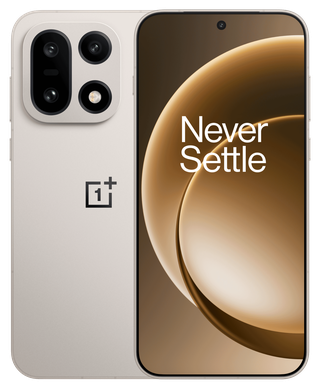
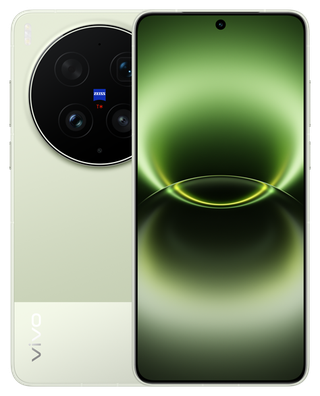
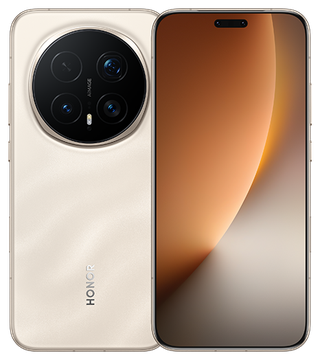
These brands widen Android’s hardware choices. OnePlus 15 combines a 7,300mAh battery with supported gaming above 120Hz; OPPO Find X9 Pro combines 7,500mAh with its charging package, while X9 Ultra adds a native 10× telephoto. Xiaomi 17 Ultra offers a 75–100mm optical telephoto range; vivo X300 Ultra starts from a tighter 35mm main view; HONOR Magic8 Pro combines a high-resolution telephoto with fast charging. Those differences can matter more than a general platform preference. Balance them with size, price, compatible networks and the repair route for the exact regional model.

Compare regional prices in USD context

Compare the phones that meet your needs.

Name what must work, choose the trade-off you can accept, and confirm the exact offer. Keeping a capable phone can be the right decision too.

Explore the flagships

iPhone vs Android camera and video

For distant subjects, Galaxy S26 Ultra’s separate 3× and 5× cameras cover more native framing positions than a standard iPhone. For ProRes and Log editing, start with iPhone Pro. Family photos need a separate judgment about movement and indoor light; a lens count cannot establish that result.

One of your priorities

iPhone

iPhone 18 Pro and Pro Max pair a variable-aperture main camera with ProRes and Apple Log recording for supported editing workflows. Both are on pre-order for September 18. The previous iPhone 17 Pro Max remains useful context for upgrades; these Pro features do not apply to every iPhone.

Android

Android has several genuinely different camera designs: Galaxy’s two telephotos, Pixel’s computational tools, OPPO’s dedicated long lens and Xiaomi’s variable optical telephoto range. Choose the lens coverage and recording workflow that serves your pictures.

Rear cameras: native hardware before marketing zoom
Model Main / ultrawide / telephoto hardware The useful distinction
iPhone 17 Pro Max 48MP / 48MP / 48MP native 4× (100mm equivalent) Its 2× and 8× “optical-quality” options use sensor crops. They are not two additional physical lenses.
iPhone 18 Pro / Pro Max 48MP variable-aperture main / 48MP ultrawide / 48MP native 4× The main lens offers f/1.48, f/1.8, f/2.8 and f/4 settings. Aperture adds control over light and depth of field; launch specifications do not establish better pictures in every scene.
Galaxy S26 Ultra 200MP main / 50MP ultrawide / 10MP native 3× + 50MP native 5× Two telephoto modules provide two native framing positions. The 2× and 10× optical-quality options are different from those native lenses.
Pixel 11 Pro XL 50MP main / 48MP ultrawide with macro / 48MP native 5× The listed 10× optical-quality and up-to-120× Pro Zoom modes are not a native 10× or 120× lens.
OPPO Find X9 Pro 50MP main / 50MP ultrawide / 200MP telephoto High-resolution telephoto capture is the distinguishing hardware, paired with a larger battery than X9 Ultra.
OPPO Find X9 Ultra 200MP main / 50MP ultrawide / 200MP telephoto + 50MP ultra-telephoto Adds a dedicated native 10× optical camera. A long lens helps distant framing, while nearby subjects may need a wider camera.
Xiaomi 17 Ultra 50MP 1-inch-type main / 50MP ultrawide / 200MP telephoto with 75–100mm optical range The telephoto changes optical focal length across a range. “1-inch-type” is a sensor-format name, not a literal one-inch sensor diagonal.
OnePlus 15 50MP main / 50MP ultrawide / 50MP native 3.5× telephoto Its 7× optical-quality mode is distinct from the native 3.5× lens. More zoom labels do not mean more cameras.
vivo X300 Ultra 200MP main / 50MP ultrawide / 200MP telephoto; 35 / 14 / 85mm equivalents A 35mm main view is tighter than a 23–24mm main view from the same position. Useful for people and details; less of a small room fits without stepping back.

Which camera differences help with your photographs?

Children and pets: moving faces in indoor light test capture timing and processing. Pro camera hardware adds shooting options, but this guide has no matched moving-subject test establishing a winner. Begin with a phone that also meets your size, budget and video needs.

Travel and concerts: S26’s native 3× and Pixel 11’s native 5× offer tighter framing than the standard iPhone’s main-camera crop. An Ultra earns attention when you repeatedly need its additional focal lengths, rather than occasional digital zoom.

Creator video: iPhone Pro’s ProRes/Log and external-drive route suits an editing pipeline built around those formats. Pixel’s Video Boost uses cloud processing. For footage needed immediately without internet, the local recording path is the relevant comparison.

Why lens choice changes the photograph

A native telephoto is a physical camera with its own lens and sensor. A crop keeps the center of a larger sensor image; digital zoom may add enlargement and computational processing. Cropping is useful, especially in good light, but it gives up captured area. In dim scenes or at close focus, camera software may switch modules, so tapping a zoom label does not always force that lens.

A longer focal length frames a distant face more tightly without moving. For a close indoor group, an ultrawide is more useful. For portraits, distance and framing affect perspective; an 85mm-equivalent lens can require more space than a 35mm view. A 10× camera is valuable from the back of an event and less relevant to a child sitting across a small table.

Megapixels set sampling resolution. Useful detail also depends on focus, motion, light, lens quality and processing. High-resolution modes can use larger files and different capture behavior. Pixel binning combines information from adjacent pixels; a 200MP camera does not necessarily save a 200MP image in its default mode.

Video: the recording path matters
Phone / mode What is provided Consequence for your workflow
iPhone 17 Pro Max 4K Dolby Vision up to 120fps on the main camera; Apple Log 2; ProRes up to 4K120 with external recording. 120fps footage enables slow motion on a lower-frame-rate timeline. External ProRes needs an appropriate drive and cable; it is not the same storage workflow as ordinary HEVC.
Pixel 11 Pro XL Local 4K up to 60fps; 8K at 24/30fps powered by Video Boost. Video Boost uses Google Photos backup and cloud processing, with a 10-minute recording limit. The boosted result is not an immediate offline 8K file.
Xiaomi 17 Ultra 8K up to 30fps and 4K Dolby Vision / Log options up to 120fps in listed supported modes. High resolution, HDR, Log and stabilization are distinct settings. An 8K headline does not mean 8K at 120fps, or every mode on every lens.

The edge cases a camera specification cannot resolve

Children and pets: subject motion needs a short enough exposure, not just optical stabilization. Stabilization compensates for camera movement; it cannot freeze a moving child. A beautiful static night shot is not evidence of moving-subject reliability.

Social uploads: recording in the native camera app gives you an original to retain and edit. The social app’s compression, HDR handling and upload settings can change the delivered result on either platform. There is no blanket rule that every Android upload is poor or every iPhone upload preserves original quality.

Color work: Log records a flatter image intended for an appropriate color workflow; untreated Log can look washed out. HDR requires compatible editing and playback, or a considered SDR conversion. Neither is automatically an improvement for an unedited family clip.

Cloud video: Google specifies backup and processing for Video Boost. Storage Saver can limit the boosted output to 1080p. For a recording that must be delivered before you regain internet access, local recording modes are the relevant choice.

Start with the photographs you miss

A distant stage favors a dedicated telephoto; a cramped room favors a wider view. Galaxy S26 Ultra and OPPO Find X9 Ultra merit attention for lens reach. iPhone Pro merits attention for ProRes/Log delivery and fast external transfers. For children and pets, keep shutter timing and low-light motion evidence separate from those hardware advantages.

iPhone vs Android battery life and charging

Battery life and charging speed solve different problems. A long day away from outlets favors tested endurance; short breaks favor a phone and charger that can recover quickly together. The figures below identify the hardware and charging conditions instead of treating battery capacity as a runtime score.

One of your priorities

iPhone

Apple claims iPhone 18 Pro and Pro Max reach up to 50% in about 15 minutes with a compatible wired adapter, or about 30 minutes with MagSafe. Its detailed adapter conditions appear below. These are manufacturer charging claims, not a cross-brand battery-life test; the earlier 17 Pro Max is shown separately as upgrade context.

Android

The selected Android phones span 5,000mAh to 7,500mAh typical capacity and several charging protocols. Galaxy and Pixel publish a short-charge claim; OPPO, Xiaomi, OnePlus, vivo and HONOR specify different wired and wireless power capabilities.

Battery and charging: actual configurations
Model / market Battery and wired capability Wireless capability
iPhone 17 Pro Max · US spec Apple does not list mAh here. Up to 50% in 20min with a 40W-or-higher compatible adapter. MagSafe / Qi2 up to 25W.
iPhone 18 Pro / Pro Max · Ireland specification Up to 50% in about 15min using a 60W-capable or higher adapter supporting AVS. Adapter rating is not a stated phone peak. Apple claims 50% in about 30min using MagSafe and a 35W-or-higher adapter.
Galaxy S26 Ultra 5,000mAh typical. Up to 75% in about 30min with the specified 60W adapter. Fast wireless charging; compatible charger required. Wireless PowerShare also supports charging compatible accessories.
Pixel 11 Pro XL 5,115mAh typical. Up to 75% in about 30min using a 45W USB-C PPS charger or higher. Pixelsnap / Qi2.2 up to 25W.
OPPO Find X9 Pro · global 7,500mAh; 80W SUPERVOOC / UFCS; up to 55W PPS and 11.7W PD. 50W AIRVOOC.
OPPO Find X9 Ultra · Spain 7,050mAh; 100W SUPERVOOC; 55W PPS and 18W PD. 50W AIRVOOC.
Xiaomi 17 Ultra · global 6,000mAh; 90W HyperCharge; specification also lists 90W PPS. 50W HyperCharge.
OnePlus 15 · Canada 7,300mAh equivalent typical dual-cell capacity; 80W SUPERVOOC in this market. 50W AIRVOOC.
vivo X300 Ultra · global 6,600mAh typical; 100W FlashCharge. 40W with the specified vivo / iQOO 50W Vertical Wireless Charger 2; not the older stand.
HONOR Magic8 Pro · UK 6,270mAh typical; 100W wired. Singapore specification instead lists 7,100mAh. 80W wireless in the UK specification.

How to read the numbers without being misled

Charging percentages and times above are manufacturer claims under their specified conditions. Power figures are capabilities, not a promise that the phone draws that power continuously. A 60W adapter label describes what the adapter can supply; it does not prove a phone accepts 60W throughout charging. Adapters and specialist wireless chargers may be separate purchases.

mAh measures charge capacity. Wh measures energy, incorporating voltage. The 7,500mAh OPPO X9 Pro figure is 50% higher than the S26 Ultra’s 5,000mAh figure; it does not establish 50% longer runtime. Displays, modem use, software, heat and battery condition affect consumption. Dual-cell capacity must use the equivalent pack convention rather than adding mismatched figures.

Apple’s U.S. launch claim for the eSIM-only iPhone 18 Pro Max is up to 45 hours of video playback. That is a defined manufacturer scenario, not a prediction of 45 hours of navigation or gaming. Capacity, charging capability and runtime claims answer different questions; they cannot establish one cross-brand battery-life winner. Apple’s battery claim and conditions.

Your existing charger can change the result

USB-C describes the connector. USB Power Delivery (PD), Programmable Power Supply (PPS), AVS and manufacturer protocols describe different charging capabilities. A charger with an impressive wattage but the wrong protocol can miss the phone’s fastest mode.

A concrete example: Find X9 Pro lists 80W SUPERVOOC, 55W PPS and 11.7W PD. Carrying a suitable PPS charger can therefore be materially different from relying on a basic PD source. A compatible charger still needs the appropriate cable and available power; on a multiport charger, plugging in a laptop can change the phone’s power allocation.

Wireless charging is convenient for a desk or bedside stand, but the phone, stand, adapter and alignment form one system. Adding magnets in a case does not itself upgrade the phone’s wireless charging electronics. A proprietary 50W or 80W wireless claim should not be read as the power available on every Qi pad.

Which battery choice fits which day?
Routine Practical choice
Long travel days, few outlets Large-capacity candidates include Find X9 Pro and OnePlus 15. Capacity is a useful shortlist filter; bright navigation, poor reception and camera use can still consume it quickly.
Short stops between jobs Prioritize the charging system you can actually carry. The X9 Ultra trades some capacity versus X9 Pro for a higher proprietary wired rating and a different camera package.
One charger for laptop and phone PPS / PD compatibility matters more than a proprietary headline you cannot access. Account for simultaneous-port power sharing.
Desk or bedside charging MagSafe / Qi2 alignment on supported iPhones and Pixel’s Pixelsnap make a different convenience proposition from a specialist high-power wireless stand.
Several years of ownership Heat and wear affect all rechargeable batteries. Battery service can extend a phone that still has adequate support, storage and performance; replacement is not automatically a reason to switch platforms.

Heat, battery health and the used-phone trap

Charging usually tapers as the battery fills. Games, navigation, direct sun and a hot car can combine into a harder thermal workload, and charging may slow or pause. A quoted 0–50% time is not a promise that the next 50% takes the same time.

For a used phone, treat battery health as a manufacturer-specific condition estimate rather than a cross-brand runtime score. The used-phone checklist covers service history; the repair comparison helps price a replacement battery.

Choose a charging routine you can sustain

For a laptop-and-phone travel kit, the supported USB PD/PPS rate can be more useful than a proprietary maximum. For desk charging, magnetic alignment reduces placement fuss. A OnePlus or OPPO charging package deserves consideration when its charger, cameras and carrying size fit together; its mAh figure alone is not a battery-life verdict.

iPhone vs Android performance: chips, RAM and heat

An everyday phone rarely needs the most expensive chip. Pro video, demanding games and large creative projects are stronger reasons to move up. Compare the app and recording format first, then the phone’s cooling, memory and storage alongside its processor.

One of your priorities

iPhone

A20 Pro powers the iPhone 18 Pro family and iPhone Duo. Its newer compute and memory package supports demanding camera and AI workloads, but sustained performance still depends on the application, cooling and power use. A19 Pro in the previous iPhone 17 Pro family remains an upgrade reference; a newer chip alone does not justify replacing a phone that meets your needs.

Android

Galaxy S26 Ultra uses Snapdragon 8 Elite Gen 5 for Galaxy. Pixel 11 uses Tensor G6. OPPO Find X9 Pro uses Dimensity 9500. Several other flagships use the standard Snapdragon 8 Elite Gen 5, with different cooling, memory and software around it.

Current chips and the phones that contain them
Chip Named phones What it changes in the purchase
Apple A20 Pro iPhone 18 Pro / Pro Max and iPhone Duo Six-core CPU and seven-core GPU in Apple’s specification. The specification describes available hardware resources; measured sustained speed depends on the app, cooling and workload.
Apple A19 Pro iPhone 17 Pro / Pro Max Released Pro hardware with ray tracing and the media workflow described above. It remains relevant when you need those capabilities without waiting for a later release.
Snapdragon 8 Elite Gen 5 for Galaxy Galaxy S26 Ultra and Galaxy Z Fold8 Samsung’s named variant. The same phone adds S Pen, DeX and its own camera pipeline; the chip name alone does not explain those whole-device differences.
Snapdragon 8 Elite Gen 5 OnePlus 15, Xiaomi 17 Ultra, OPPO Find X9 Ultra, vivo X300 Ultra, HONOR Magic8 Pro A common flagship platform across substantially different lenses, battery capacities and interfaces. Shared silicon does not make those phones interchangeable.
Google Tensor G6 Pixel 11 family, including Pixel 11 Pro Fold Paired with Google’s camera and AI features. Pixel 11 Pro XL also lists a Titan M3 security coprocessor. Neither an AI label nor a security coprocessor establishes a universal gaming lead.
MediaTek Dimensity 9500 OPPO Find X9 Pro A different platform from X9 Ultra. The Pro’s 7,500mAh battery and 80W charging may fit your routine better even though Ultra is the higher camera tier.

CPU, GPU, neural accelerator: three different jobs

The CPU runs general application logic. The GPU renders graphics and handles suitable parallel work. Neural accelerators speed supported machine-learning operations. A processor can also contain dedicated media engines, while a phone’s image processing depends on its complete camera pipeline. Faster performance in one of these jobs does not establish a lead in the others.

Chip core counts, clock speeds and fabrication-node names do not form a fair iOS-versus-Android score. An application must use the hardware, and the phone must sustain the power and temperature needed. Faster storage can shorten large installs or file work; it cannot fix a poor mobile signal. More RAM can reduce memory pressure; it does not add storage for photos.

From specification to a real workload
Your workload Useful hardware or feature Limit that changes the result
Long gaming sessions Fast GPU, adequate cooling, a supported high-refresh mode and room for the game library. OnePlus 15 offers a 165Hz gaming ceiling. The game may cap frame rate; higher graphics settings may trade detail for frames. A short benchmark misses throttling and uneven frame times.
Editing and exporting video Supported codec acceleration, sufficient local space and a fast transfer path. iPhone 17 Pro Max offers ProRes and USB up to 10Gb/s. An editor that lacks your codec or effect support can matter more than a processor generation.
Navigation plus camera and messaging Enough physical RAM, stable background behavior and a battery suited to combined screen, location and modem use. App reloads can reflect operating-system policy or app design, not only RAM capacity.
Basic calls, web, banking and music A supported phone with enough capacity and a healthy battery. All these flagship families supply far more than a basic calling device. A new chip does not by itself improve reception, the app’s service availability or the bank’s supported-device policy.

iPhone vs Android AI: which features can you actually use?

Start with a repeated task: finding a booking, translating a call, editing a photo or delivering a video. The useful difference is the feature you can use with your account and language, including its connection and cost conditions.

Three different routes: Siri AI brings personal-context assistance to eligible iPhones through an iOS 27 beta rollout. Pixel 11’s U.S. route is Proactive Assistance with Gemini. Galaxy Now Nudge supplies contextual shortcuts. A shared “AI phone” label does not make their permissions, availability or actions identical.

Open the feature comparison for named devices, software, languages and limits. Siri AI · Pixel assistance · Call translation · Video Boost

AI and multitasking: devices, software, regions and costs
Feature and taskWhat you getConditions that change the answer
Siri AIFind information and act across Apple apps

Phones: iPhone 15 Pro; iPhone 16 and later, including 17/17e. iPhone 18 Pro / Pro Max and Duo have separate retail dates shown in the comparison.

Software: iOS 27; rolling out in beta.

Ask about information in messages or email, use on-screen context, and revisit conversations in the Siri app.

Eligibility: English initially. Not initially available in the EU on iOS; unavailable under age 13. French, Japanese, Korean, Portuguese and Spanish are announced for October.

Connection and processing: Apple uses on-device processing and Private Cloud Compute. Do not assume every request works offline.

Cost: Some server-based features have daily usage limits. Apple says expanded access will carry a fee in the future; no price is stated in the announcement.

The benefit is access to permitted personal context, not simply a newer chip. Language and rollout eligibility can matter more than the model premium.

Siri AI requirements and source
Pixel Proactive AssistanceGet a relevant suggestion while messaging or calling

Phones: Pixel 11, 11 Pro, 11 Pro XL and 11 Pro Fold.

Software: The Pixel 11 software experience; Gemini must be the default assistant and Personal Intelligence enabled.

Surface a flight detail during a chat or a reservation while calling a business. Choose which apps and contextual data it can use.

Eligibility: Age 18+ and a personal Google Account. U.S., Australia, Canada, India, Malaysia and Singapore: English. Japan: Japanese.

Connection and processing: Opt-in processing uses protected spaces on the device and in the cloud; this is not an offline-only feature.

Cost: The feature prerequisites do not list a separate subscription. Gemini account limits and connected-service conditions still apply.

In the U.S., this is the named Pixel 11 feature. Do not assume a Pixel 10 Magic Cue description applies unchanged to every generation and country.

Pixel Proactive Assistance requirements and source
Pixel Magic CueUnderstand the earlier Pixel suggestion feature

Phones: Pixel 10, 10 Pro, 10 Pro XL and 10 Pro Fold in the listed markets; Pixel 11 family in the UK.

Software: Device feature with account setup; suggestions can take 24 hours to start appearing.

Bring relevant information into chat, calls and supported apps, using the data sources you allow.

Eligibility: Pixel 10 markets include the U.S., UK, Ireland, Canada, Australia, India, Japan, Malaysia and Singapore. Work-profile and private-space restrictions apply.

Connection and processing: The device processes new information while charging; linked sources and permissions affect which suggestions appear.

Cost: No separate feature fee is listed in the eligibility guide.

A name and a processor generation do not establish eligibility. U.S. Pixel 11 buyers should use the Proactive Assistance conditions above.

Pixel Magic Cue requirements and source
Galaxy Now NudgeGet shortcuts relevant to the current conversation

Phones: Galaxy S26, S26+ and S26 Ultra.

Software: One UI 8.5 launch feature; Samsung Account required.

Offer a Calendar shortcut when planning or help find a photo to share.

Eligibility: 16 documented languages, including English, Spanish, French, German, Arabic and Japanese. Supported messaging apps include Samsung Messages, Google Messages and Google Chat.

Connection and processing: Uses the available context and permissions; Samsung's on-device-only setting does not make every cloud feature available offline.

Cost: Samsung's basic Galaxy AI features are free. Enhanced or third-party services can have different terms.

It suggests a next action inside the workflow; it is not a promise to operate every app.

Galaxy Now Nudge requirements and source
Gemini Live on AndroidTalk through what is on your screen or camera

Phones: Compatible Android phones, including Galaxy and Pixel; not exclusive to Tensor.

Software: Gemini mobile app or assistant, latest Google app, signed-in eligible account.

Hold a spoken conversation while sharing your camera or screen; interrupt to change the question.

Eligibility: Over 13 or the applicable local age; eligible personal or work/school account. Language and country availability apply. Updates roll out gradually.

Connection and processing: Camera and screen sharing send the selected content to the service. It is not a local phone-camera analysis mode.

Cost: A paid subscription is not listed among Live's basic prerequisites. Advanced plan benefits and usage limits are separate.

You can get this kind of interaction on more than one Android brand. Connected app actions and account access are the useful comparison.

Gemini Live on Android requirements and source
Apple Live TranslationTranslate a call or message

Phones: iPhone 15 Pro and iPhone 16 models or later.

Software: iOS 26 or later with Apple Intelligence enabled; device and Siri languages must match.

Translate in Messages, Phone or FaceTime. Messages supports more languages than calls.

Eligibility: Phone/FaceTime include English (US/UK), French (France), German, Italian, Japanese, Korean, Portuguese (Brazil), Spanish (Spain) and Mandarin Chinese. Mainland China restrictions apply.

Connection and processing: Download required on-device models first. Calls still require their normal service connection.

Cost: No separate translation subscription is listed. A language-supported iOS update does not add Apple Intelligence to ordinary iPhone 15.

A supported text language does not guarantee the same language pair works in a voice call.

Apple Live Translation requirements and source
Galaxy Live TranslateTranslate a call in the dialer or supported apps

Phones: Eligible Galaxy phones, including the S26 family.

Software: Android 14 / One UI 6.1 or later on a compatible device; turn on Call Assist and download languages.

Hear a translated conversation and read the translation. Supported third-party calling apps include WhatsApp, Signal and Meet.

Eligibility: Language and app support vary; English, Spanish, French, German, Hindi, Japanese and Korean are among the supported options. Only one caller should activate Live Translate.

Connection and processing: Download language packs first; calling apps and some functions need service or internet.

Cost: Samsung basic Galaxy AI features are free; third-party services retain their own terms.

Its supported calling-app route can matter if conversations happen outside the default dialer. Translation errors remain possible.

Galaxy Live Translate requirements and source
Galaxy Photo AssistEdit a photo after capture

Phones: Supported Galaxy devices; S26 family is the comparison here.

Software: Galaxy AI in Gallery; individual tools vary by software and model.

Move, remove or resize objects, or add elements using a text prompt.

Eligibility: The documented prompt-language list contains 41 languages. Network connection and Samsung Account may be required.

Connection and processing: Generated edits can resize the photo and add a visible AI watermark. Do not rely on the result as an untouched record.

Cost: Basic Samsung features are free; enhanced services can have separate terms.

Editing flexibility cannot replace a missing camera lens or recover a moment that was never captured.

Galaxy Photo Assist requirements and source
Pixel Video BoostProcess demanding footage after capture

Phones: Pixel 8 Pro; Pixel 9/10/11 Pro and Pro XL; Pixel 9/10/11 Pro Fold. Standard Pixel 11 and 10a are not in the support list.

Software: Supported Pixel Camera version and Google Photos backup.

Upload supported footage for cloud enhancement. Record up to 10 minutes per clip.

Eligibility: 8K is limited to 30fps on supported conventional Pro models; it is unavailable on Pixel 8 Pro and Pixel Fold devices.

Connection and processing: The final boosted video needs upload and cloud processing. Keep enough storage and allow time before delivery.

Cost: No separate Video Boost subscription is specified; Google Photos backup/storage requirements still apply.

A local 4K file can be ready immediately. A boosted result is a different workflow from recording the finished file fully offline.

Pixel Video Boost requirements and source
Galaxy Multi WindowRead and work in separate apps

Phones: Galaxy Z Fold8; use its inner display.

Software: One UI 9 on Fold8.

Place supported apps in two-way or three-way layouts, such as a message beside a calendar.

Eligibility: Select apps support Multi Window; an app’s layout and resizability still matter. This is an available Fold8 feature.

Connection and processing: Window layout runs on the phone. Each app keeps its own online or offline requirements.

Cost: No separate Multi Window subscription; paid apps keep their own terms.

A useful workspace depends on readable windows and compatible apps, not simply the number of apps that can open.

Galaxy Multi Window requirements and source

Physical RAM is not “RAM expansion”

Samsung’s RAM Plus uses storage as virtual memory. Storage-backed memory has different behavior from physical RAM and should not be added to physical RAM to advertise an equivalent total. A 12GB phone with an 8GB virtual setting is not the same hardware as a phone with 20GB of physical RAM.

There is no fixed formula saying one iPhone RAM size equals a particular Android size. Application memory use and system policies differ. The model-by-model table in the storage chapter separates capacity, physical RAM and published flash specifications.

When a faster chip earns the money

Upgrade for a game or creative task your current phone cannot handle comfortably, or a recording format it cannot produce. If apps already run well, a healthier battery, enough storage or a useful camera lens may remove a bigger daily frustration. A20 Pro hardware specifications and measured sustained performance are separate kinds of evidence.

Phone storage: capacity, backups and file transfers

Buy enough space for your current files and several years of growth. Start with the capacity guidance and estimator below; frequent large-file transfers also make the USB connection worth comparing.

One of your priorities

iPhone

iPhone 18 Pro and Pro Max offer 256GB, 512GB, 1TB or 2TB. USB 3 and supported external-drive recording provide a separate route for large video projects. Apple leaves internal storage-interface and physical RAM details out of its consumer specifications.

Android

OPPO, Xiaomi, OnePlus and vivo publish UFS 4.1 configurations. Google’s Pixel 11 Pro XL changes both RAM and its advertised storage implementation at 512GB.

Storage and physical RAM: the actual tiers
Model / specified market Capacity and physical RAM Published storage / transfer detail
iPhone 17 Pro Max 256GB / 512GB / 1TB / 2TB. Physical RAM not listed in Apple’s consumer spec. USB 3 up to 10Gb/s. No UFS version claimed here.
iPhone 18 Pro / Pro Max 256GB / 512GB / 1TB / 2TB. A capacity tier measures space, not transfer speed. USB support and the storage controller affect large-file workflows.
Galaxy S26 Ultra 256GB or 512GB with 12GB RAM; 1TB with 16GB RAM in the launch specification. Storage availability varies by market. The cited launch table does not establish a UFS version.
Pixel 11 Pro XL 256GB with 12GB RAM; 512GB or 1TB with 16GB RAM. Google labels the 512GB / 1TB tiers “Zoned UFS”; USB-C 3.2. The supplied cable is USB 2.0.
OPPO Find X9 Pro · global 512GB with 16GB LPDDR5X RAM. UFS 4.1; USB 3.2 Gen 1; no storage-card expansion.
OPPO Find X9 Ultra · Spain 512GB with 12GB LPDDR5X RAM. UFS 4.1. A higher product tier does not mean more RAM in every market configuration.
Xiaomi 17 Ultra · global 512GB or 1TB with 16GB LPDDR5X RAM. UFS 4.1.
OnePlus 15 · Canada 256GB with 12GB RAM or 512GB with 16GB RAM. UFS 4.1; USB 3.2 Gen 1.
vivo X300 Ultra · global 512GB or 1TB with 16GB LPDDR5X Ultra Pro RAM. UFS 4.1; USB 3.2 up to 10Gb/s; no storage expansion.

256GB, 512GB or 1TB: an answer you can use

256GB is a sensible starting point when your present local usage is comfortably below that capacity and you mainly stream media, keep a moderate game library and move older videos off the phone. Allow for space used by the operating system, apps and formatting.

512GB earns its place when you already use roughly 150–200GB, expect several years of photo growth, keep large games or carry substantial offline media. Those are planning examples, not hard technical cutoffs. Pixel 11 Pro XL also upgrades physical RAM at this tier, making it more than a space-only purchase.

1TB or 2TB is for a known local workload: extensive high-bitrate footage, large project caches or a substantial offline library. Messaging and streamed music use far less space. External drives can hold compatible media, but do not act as a seamless expansion slot for all installed apps.

An illustrative storage budget
Item Example allowance
Applications, games and operating-system space
Existing photos and videos retained locally
Offline maps, music and downloads
Expected new media before your next clear-out
Working room for updates, temporary files and editing
Total 265GB: this example points to 512GB, not 256GB. Substitute your own usage; these are not measured app requirements.

Use the storage already occupied on your current phone as a starting point, then add growth and working room. These editable figures are an illustration, not measured requirements or a guarantee of usable capacity.

Video file sizes are calculable; “4K” alone is not a size

Approximate decimal GB per minute = bitrate in megabits per second × 60 ÷ 8 ÷ 1,000. A 100Mb/s recording uses about 0.75GB per minute, or 45GB per hour, before extra files and overhead. At 200Mb/s, the same duration is about 90GB. These are arithmetic examples, not asserted default bitrates for these phones.

Resolution, frame rate, codec, scene complexity and recording mode affect bitrate. ProRes and compressed video can occupy very different amounts of space. Leave room for the original, editing cache and export.

UFS, NVMe and USB answer different questions

UFS describes an internal flash-storage interface used by many Android phones; LPDDR describes working memory. NVMe is a storage protocol associated with PCIe. Judge a storage upgrade by the extra capacity or measured performance it provides in your workload. Apple’s cited specifications provide no comparable interface benchmark.

USB describes the external connection. USB 3.2 Gen 1 has a nominal 5Gb/s signaling rate; a 10Gb/s connection has a higher theoretical ceiling. Neither equals a guaranteed file-copy speed: cable, controller, computer, drive, file size and filesystem overhead all contribute.

At the theoretical limit: 10Gb/s is 1.25GB/s, so 100GB takes at least 80 seconds; USB 2.0’s 480Mb/s is 60MB/s, so the same amount takes at least about 28 minutes. Actual copies take longer. Pixel 11 Pro XL’s supplied USB 2.0 cable is a concrete reason a fast port may not deliver its full data capability.

Cloud storage, backup and offline access are not interchangeable

Cloud plans add space on a service, not flash capacity for installed games. Optimized photo storage can keep smaller local copies while originals live online, which helps capacity but changes what is available without a connection. Download essential travel documents and media before departure.

Synchronization can propagate a mistake. With iCloud Photos, deleting a photo on one signed-in device deletes it from the synchronized library on the others. Keep an independent copy of irreplaceable media. A phone with 1TB is still a single device that can be lost, damaged or locked out.

iPhone vs Android prices and ownership costs

Compare the same storage capacity and purchase conditions first. Then add the extras you actually need and spread the cost over the years you expect to keep the phone. The selected phones above can fill the ownership calculator for you.

One of your priorities

iPhone vs Android prices, by storage and condition

All dollar figures are USD. U.S. quotes exclude sales tax, financing, trade-in credit and plan credits. New, pre-owned, upcoming and reference-priced models are labeled individually. The comparison above can include eligible no-trade-in offers.

U.S. prices at each quoted capacity
Model and conditionPrice and storageHardware and compromise
iPhone 17eReleased · new$699 · 256GB
$899 · 512GBApple U.S. connect-later price; before tax, without trade-in or carrier credits.Price source
A19

6.1-inch OLED; 48MP main; 2× view from the main sensor; 4K Dolby Vision up to 60fps.

One rear camera: no ultrawide or dedicated long telephoto. It does not have the 17’s ProMotion display.

Specifications
iPhone 17Released · new$929 · 256GB
$1,129 · 512GBApple U.S. connect-later price; before tax, without trade-in or carrier credits.Price source
A19

6.3-inch OLED with adaptive refresh up to 120Hz; 48MP main and 48MP ultrawide.

No dedicated long telephoto or Pro recording suite. Apple’s $899 headline includes a $30 connectivity discount; connect-later prices here are $929 / $1,129.

Specifications
iPhone 18 ProPre-order · available September 18$1,199 · 256GB
$1,399 · 512GB
$1,799 · 1TB
$2,399 · 2TBApple U.S. connect-later price; before tax, without trade-in or carrier credits.Price source
A20 Pro

6.3-inch adaptive 120Hz OLED; 48MP main with variable aperture, 48MP ultrawide and 48MP native 4× telephoto; 211g.

The 6.3-inch, 211g body and storage upgrades add to the ownership cost. Professional recording earns its premium only if you use the editing workflow.

Specifications
iPhone 18 Pro MaxPre-order · available September 18$1,299 · 256GB
$1,499 · 512GB
$1,899 · 1TB
$2,499 · 2TBApple U.S. connect-later price; before tax, without trade-in or carrier credits.Price source
A20 Pro

6.9-inch adaptive 120Hz OLED; 48MP main with variable aperture, 48MP ultrawide and 48MP native 4× telephoto; 249g.

The 6.9-inch, 249g body and storage upgrades add to the ownership cost. Professional recording earns its premium only if you use the editing workflow.

Specifications
Galaxy S26Released · new$899.99 · 256GB
$1,099.99 · 512GBU.S. manufacturer list price; before tax, without trade-in or plan credits.Price source
Snapdragon 8 Elite Gen 5 for Galaxy / Exynos 2600 by market

6.3-inch 1–120Hz OLED; 50MP main, 12MP ultrawide, 10MP 3× telephoto; 4,300mAh.

25W charging and a smaller battery than S26+. No Ultra 5× camera, built-in S Pen or Privacy Display.

Specifications
Galaxy S26+Released · new$1,099.99 · 256GB
$1,299.99 · 512GBU.S. manufacturer list price; before tax, without trade-in or plan credits.Price source
Snapdragon 8 Elite Gen 5 for Galaxy / Exynos 2600 by market

6.7-inch QHD+ 1–120Hz OLED; same 50 / 12 / 10MP rear camera arrangement as S26; 4,900mAh, 45W.

The price buys a larger display and battery, not the Ultra’s extra 5× lens or pen.

Specifications
Galaxy S26 UltraReleased · new$1,299.99 · 256GB
$1,499.99 · 512GB
$1,799.99 · 1TBU.S. manufacturer list price; before tax, without trade-in or plan credits.Price source
Other published offer information

Samsung has also advertised $200 instant savings without trade-in: $1,099.99 / $1,299.99 / $1,599.99 for 256GB / 512GB / 1TB. This is a promotion, not the list-price baseline used by the chooser. Offer source

Snapdragon 8 Elite Gen 5 for Galaxy

6.9-inch QHD+ 1–120Hz OLED; 200MP main, 50MP ultrawide, native 3× and 5× telephotos; 5,000mAh.

Large 78.1mm-wide body. Camera count does not guarantee the best moving-subject photos; a charger costs extra.

Specifications
Pixel 10aReleased · new$499 · 128GB
$599 · 256GBU.S. manufacturer list price; before tax, without trade-in or plan credits.Price source
Tensor G4

6.3-inch 60–120Hz OLED; 48MP main + 13MP ultrawide; 5,100mAh typical battery.

No dedicated telephoto, less advanced silicon than Tensor G6 phones, and only 128GB / 256GB configurations.

Specifications
Pixel 11Released · new$899 · 256GB
$1,019 · 512GBU.S. manufacturer list price; before tax, without trade-in or plan credits.Price source
Tensor G6

6.3-inch 60–120Hz OLED; 48MP main, 13MP ultrawide and 10.8MP native 5× telephoto. 256GB / 512GB both have 12GB RAM; 512GB adds Zoned UFS.

The Pro models upgrade the main, ultrawide and telephoto sensors, selfie camera and LTPO display. The standard Pixel already has a 5× lens; its 512GB model stays at 12GB RAM.

Specifications
Pixel 11 ProReleased · new$1,099 · 256GB
$1,219 · 512GB
$1,449 · 1TBU.S. manufacturer list price; before tax, without trade-in or plan credits.Price source
Tensor G6

6.3-inch LTPO screen; 50MP main, 48MP ultrawide, 48MP 5× telephoto. 256GB has 12GB RAM; higher tiers have 16GB.

Video Boost needs cloud processing. The entry configuration has less RAM than 512GB / 1TB; more RAM is not a promise of better photos.

Specifications
Pixel 11 Pro XLReleased · new$1,299 · 256GB
$1,419 · 512GB
$1,649 · 1TBU.S. manufacturer list price; before tax, without trade-in or plan credits.Price source
Tensor G6

6.8-inch LTPO 1–120Hz OLED; 50 / 48 / 48MP rear cameras with native 5× telephoto; 5,115mAh.

Larger than Pro, with cloud-dependent Video Boost. The 512GB and 1TB tiers cost more and add RAM as well as storage.

Specifications
OnePlus 15Released · reference price only$899.99 · 256GB
$999.99 · 512GBManufacturer-published U.S. prices; current stock and transaction price are not guaranteed.Price source
Snapdragon 8 Elite Gen 5

7,300mAh; North America 80W wired / 50W wireless; three 50MP rear cameras with native 3.5× telephoto; UFS 4.1.

165Hz applies to supported games, not all apps. U.S. figures are manufacturer-published pricing; stock and current seller prices can differ.

Specifications
iPhone DuoComing October 23 · pre-orders October 16$1,999 · 256GB
$2,199 · 512GB
$2,599 · 1TB
$3,199 · 2TBU.S. manufacturer price; before tax, without trade-in or carrier credits.Price source
A20 Pro

7.6-inch inner / 5.4-inch outer OLED displays; 254g; 48MP main + 48MP ultrawide, with a 2× main-sensor crop. Touch ID and USB 3 up to 10Gb/s.

No dedicated telephoto. Folded body is 84.1mm wide and 11.3mm thick: a short cover display does not mean a narrow phone. Available from October 23; first-generation durability and app behavior need real-use evidence.

Specifications
Galaxy Z Fold8Released · new$1,899.99 · 256GB
$2,099.99 · 512GB
$2,499.99 · 1TBU.S. manufacturer price; before tax, without trade-in or carrier credits.Price source

Dated offer, 2026-09-07 to 2026-09-27: $1,649.99 / 256GB; $1,849.99 / 512GB; $2,249.99 / 1TB. Applies only within the stated dates, eligibility and remaining stock; standard prices are listed above. Offer terms

The published terms do not specify the closing time zone. This offer is shown for reference; automatic quotes use standard prices.

Snapdragon 8 Elite Gen 5 for Galaxy

7.6-inch inner / 5.5-inch cover displays; 201g; 50MP main + 50MP ultrawide; 4,800mAh typical battery. IP48.

The regular Fold8 lacks Fold8 Ultra’s dedicated 3× telephoto and 200MP main sensor. IP48 is not dust-tight. Screen shape, camera needs and protection costs all matter.

Specifications
Pixel 11 Pro FoldReleased · new$1,899 · 256GB
$2,019 · 512GB
$2,249 · 1TBU.S. manufacturer price; before tax, without trade-in or carrier credits.Price source
Tensor G6

8-inch inner / 6.5-inch outer 1–120Hz displays; 16GB RAM; 48MP main, 10.5MP ultrawide and 10.8MP native 5× telephoto; 4,806mAh.

Its cameras differ from the conventional Pixel 11 Pro despite the shared Pro name. The square-ish inner canvas does not turn every widescreen video into a full-screen image; app adaptation varies.

Specifications
iPhone 17 ProReleased · reference price only$1,099 · 256GBApple U.S. launch reference for 256GB; current new-unit price and stock unverified. Before tax.Price sourceA19 Pro

6.3-inch ProMotion display; 48MP main, ultrawide and native 4× telephoto; ProRes / Apple Log recording and USB 3.

A released Pro option, but this new-unit quote is the launch reference, not a verified current offer. Compare battery condition and warranty carefully when buying used.

Specifications
iPhone 17 Pro · pre-ownedReleased · pre-owned quote$1,079.99 · 256GBBest Buy U.S., unlocked, pre-owned Excellent, 256GB. Before tax; no carrier credits assumed.Price sourceA19 Pro

6.3-inch ProMotion display; 48MP main, ultrawide and native 4× telephoto; ProRes / Apple Log recording and USB 3.

Pre-owned Excellent condition with a 90-day seller warranty. Battery health is not established by the listing grade. The price is close enough to a new Pro to make warranty and battery condition material.

Specifications
iPhone 17 Pro MaxReleased · reference price only$1,199 · 256GBApple U.S. launch reference for 256GB; current new-unit price and stock unverified. Before tax.Price sourceA19 Pro

6.9-inch ProMotion display; 48MP main, ultrawide and native 4× telephoto; ProRes / Apple Log and USB 3.

A released Pro option, but this new-unit quote is the launch reference, not a verified current offer. Compare battery condition and warranty carefully when buying used.

Specifications

What the next price step buys

Lower cost, 256GB: Pixel 10a is $599; iPhone 17e is $699. Pixel supplies an ultrawide, 120Hz scrolling and published support. iPhone supplies A19 and Apple Continuity in a 6.1-inch body. Neither supplies a dedicated telephoto.

Standard flagships, 256GB: Pixel 11 is $899, S26 is $899.99 and connect-later iPhone 17 is $929. S26 adds native 3× and DeX; Pixel adds native 5×; iPhone combines a 48MP ultrawide with ProMotion and Apple Continuity.

The Pro step: Pixel 11 Pro starts at $1,099 and iPhone 18 Pro at $1,199. Galaxy S26 Ultra’s standard 256GB price is $1,299.99. The Galaxy earns attention for its two telephotos, pen and DeX; the smaller Pros provide camera tools with less body bulk.

At 512GB: Pixel 11 is $1,019, S26 is $1,099.99 and iPhone 17 is $1,129. Pixel 11 Pro’s upgrade also increases RAM from 12GB to 16GB; standard Pixel 11 retains 12GB.

International flagships, shown in USD context

OPPO, Xiaomi, vivo and HONOR add hardware choices beyond the U.S. shortlist. The figures below convert published European prices to approximate USD, rounded to the nearest $10. They are regional retail references, not U.S. retail offers or delivered import costs. Regional VAT is included in the source price; shipping, U.S. tax, duty, currency fees and local warranty arrangements can change the real comparison.

International price references
Model / market Approximate USD and original price Why it belongs on the list
OPPO Find X9 UltraBelgium About $1,970 · 512GB
€1,699.00 Belgium priceManufacturer recommended retail price; 12GB RAM / 512GB.Regional price source
Native 10× telephoto plus a 200MP 3× camera; 235–236g and a large camera housing. Importing adds network, repair and return considerations.
Xiaomi 17 UltraUK About $1,760 · 512GB
£1,299.00 UK price
About $2,030 · 1TB
£1,499.00 UK priceManufacturer list prices; 16GB RAM.Regional price source
1-inch-type main sensor and a 75–100mm optical telephoto range; less long-lens reach than OPPO’s native 10× camera. Global battery is 6,000mAh.

Published UK promotion: £999 for 512GB or £1,199 for 1TB, until 09:59 GMT October 11, 2026, or allocated stock runs out. Offer conditions

vivo X300 UltraGermany About $2,320 · 1TB
€1,999.00 Germany priceGerman storefront regular price; 16GB RAM / 1TB.Regional price source
35mm main framing, 200MP telephoto and USB up to 10Gb/s; 232–237g. The tighter main view can be awkward indoors when you cannot step back.

German storefront offer: €1,749 for 16GB / 1TB, against €1,999 regular price; offer and stock can change. Offer conditions

HONOR Magic8 ProUK About $1,490 · 512GB
£1,099.99 UK priceManufacturer UK list price; 12GB RAM / 512GB.Regional price source
200MP telephoto and 100W wired / 80W wireless charging. UK battery is 6,270mAh, rather than Singapore’s 7,100mAh.

UK store advertises from £899.99 using code AM8PSEP200. This requires the voucher and is not the regular price. Offer conditions

Conversion basis: €1 = $1.1616 and £1 ≈ $1.3520, from the ECB reference rates for September 10, 2026. These are fixed illustrative conversions, not transaction rates. ECB exchange-rate source.

The range in context: these regional regular prices translate to roughly $1,490–$2,320. Discounts can reduce that: Xiaomi’s published £999–£1,199 promotion is about $1,350–$1,620; HONOR’s £899.99 voucher offer is about $1,220; vivo’s €1,749 storefront offer is about $2,030. Original currency, storage and conditions matter more than a rounded conversion.

iPhone

An older iPhone Pro can bring desirable hardware into your budget. Its battery, repair history and remaining software eligibility belong in the comparison alongside the asking price.

Android

A new mainstream Android and an older premium model can solve different needs at the same price. Local support and the exact market version matter especially when an imported offer is cheaper.

Purchase + additional ownership costs − resale = estimated net cost.

Build a comparable offer
Include Look beyond the headline
Purchase and condition Match storage, market, new/used status and taxes. A carrier offer may include a longer plan commitment.
Accessories and services Add only new costs caused by the choice: charger, watch replacement, needed storage or paid software.
Repairs and downtime Check battery and screen quotes, local parts and how you would manage without the phone.
Resale Use a plausible estimate, then ask whether the decision changes if resale is lower. It is not guaranteed money.
Warranty and returns Manufacturer coverage, seller promises and return conditions are separate protections.

Considering an older premium phone? Use the new-versus-used comparison and inspection checklist to weigh its extra hardware against condition and ownership costs.

Imports, network fit and repairs

Use the exact market model, not only the commercial name. Confirm carrier support, physical-SIM or eSIM arrangements, required software services and local repair options. A manufacturer’s global product page does not establish that a particular imported unit fits your network or warranty needs.

Google advises checking Pixel carrier compatibility and the applicable warranty when a device was bought in another country. For any brand, resolve those questions with the carrier, manufacturer and seller before treating the discount as a saving.

A worked ownership example

Suppose phone A costs 1,000 units, needs 150 in new accessories and service, and is expected to resell for 250 after four years. Its estimated net cost is 900, or 225 per year. Phone B costs 850, needs 200 in extras and is expected to resell for 150: also 900, or 225 per year. These are hypothetical amounts in one currency, not market prices.

If resale turns out to be zero, A costs 287.50 per year and B costs 262.50. The same initial “tie” changes when an uncertain assumption disappears. That is why the calculator shows both your resale estimate and a zero-resale case.

A 36-month carrier credit is not an instant cash discount if you must keep a more expensive plan to receive it. Likewise, a higher cloud tier charged monthly belongs in the ownership period when the phone choice creates that new cost. Include tax or import charges applicable to the actual offer, rather than comparing a pre-tax US advertisement with a tax-inclusive local shop price.

Try your own ownership-cost comparison

Enter two comparable offers. The result also shows the cost if neither phone has any resale value.

Label only. Changing currency does not convert your inputs.

Use one currency for both offers. Enter 0 for a cost or resale value that does not apply; ownership can be 1–12 years.

iPhone

Enter assumptions to calculate.

Android phone

Enter assumptions to calculate.

Formula: (purchase + additional costs − resale) ÷ years. Include taxes, finance costs or plan changes yourself when relevant. The equal example is hypothetical, not a market quote.

Should you replace your phone, repair it or keep it?

Keep it if it still runs your essential apps, has appropriate security support and meets your daily needs. Repair it when one affordable repair removes the main problem. Replace it when the missing capability, support limit or combined repair bill makes the existing phone unsuitable.

Repair or replace: start with the problem
ProblemTry or investigate firstWhen replacement becomes more useful
Battery no longer lasts the dayReview battery usage and obtain a model-specific battery-service quote. Include service downtime and a backup before repair.The phone also lacks needed support, storage or hardware; or the full repair cost is poor value compared with a suitable replacement.
Storage keeps filling upIdentify large local files and apps. Preserve an independent copy before deleting irreplaceable media. Use the storage estimator for future growth.You repeatedly need more local space than the phone has. A larger cloud plan cannot increase installed-app capacity.
Apps feel slow or keep reloadingSeparate slow network access from local performance. Note the specific app, task, available storage and whether the problem occurs when hot.The required application or sustained workload exceeds what the phone can deliver. More RAM on a new phone does not fix poor coverage.
Cracked screen or damaged portGet a written quote, repair scope and warranty. Include any additional fault found during inspection.Multiple faults, high repair expense or weak remaining useful life outweigh the benefit of the repair.
Essential software no longer worksConfirm the app’s supported operating systems and whether the phone can update.A required app or security requirement cannot be met. A battery repair cannot change software compatibility.

An illustrative repair decision: a $100 repair that plausibly gives another 18 months costs about $5.56 per added month. A $600 replacement used for four years is $12.50 per month before repairs, accessories or resale. This is a planning comparison, not a prediction that either device will last that long. The repair must actually address the problem.

Which features are worth paying extra for?

  • Extra storage: pay when your measured files and expected growth need it. Leave room for updates and editing; do not buy 1TB merely because it is offered.
  • A dedicated telephoto: pay when you repeatedly photograph distant subjects. It offers less benefit if most of your pictures are close indoor scenes.
  • A larger display: pay when reading, maps or editing improve enough to justify width and weight. Try it with your normal text size.
  • Advanced video formats: pay when your editing and delivery workflow uses them. Include a suitable drive, cable and storage if required.
  • Fast charging: pay when short charging breaks are a recurring constraint. Include the compatible adapter and cable in the offer.

Compare what the next price tier buys · Estimate your storage needs

The part after choosing

Switching from Android to iPhone—or back

Prepare accounts and recovery first. Verify the new phone before erasing or trading in the old one.

What will you lose or need to replace when switching?

Prepare account recovery and an independent copy of irreplaceable files before transferring. Use Move to iOS for Android-to-iPhone setup, or the destination Android phone’s transfer flow for the reverse move. Keep the old phone until each relevant row below passes; some apps need a separate migration.

Switching checklist: transfer, setup, verification or replacement
ItemWhat to planWhat proves the move worked
Photos, contacts and documentsTransfer supported categories during setup or use the service where the originals are stored. Cloud thumbnails and full local originals are not interchangeable.Open older photos, a large video, a contact and an important document. Verify offline access for travel files.
Paid apps and subscriptionsReinstall available apps and check each provider’s account and purchase rules. A subscription may remain tied to the original store for billing even when the service works on both phones.Sign in and check paid features, renewal settings and the billing account. Do not subscribe twice just because the app is newly installed.
Message and WhatsApp historyUse the supported migration route for that app and destination. Required setup steps can differ from simply restoring a phone backup.Check conversations and media on the new phone; send and receive messages with both platforms before retiring the old one.
Passwords, passkeys and authenticatorsUse the password manager’s supported transfer/sync route. Prepare recovery codes and follow authenticator or service-specific migration steps.Perform a fresh sign-in to essential accounts. A copied app icon does not establish that two-factor codes or passkeys moved.
Mobile service and travel SIMsArrange the carrier’s physical-SIM or eSIM transfer. Confirm the regional phone’s SIM support and service eligibility.Test an incoming call, outgoing call, mobile data and verification text. Keep access to the carrier account during setup.
Watch, earbuds and car connectionCheck the exact model. A watch may require replacement; earbuds can retain basic audio while losing some controls. Re-pair the car with the new phone.Test calls, audio controls, required health functions and navigation in the actual setup. Include replacement costs only where needed.
Banking, work and health recordsPlan separate activation, management enrollment and export steps where required. A general migration does not guarantee every protected app or data category transfers.Confirm access and retained records with the relevant app. Preserve the old device until essential tasks work.

Apple: Android-to-iPhone transfer categories · Android: switching routes

Price the transition: add required replacement accessories, overlapping cloud subscriptions during migration, and any setup help. Keep optional purchases separate. Use the ownership calculator to include those costs.

iOS vs Android: updates, privacy and security

For four or five years of ownership, consider remaining security support, battery service and sufficient storage together. Pixel and Galaxy publish support windows. Apple’s current software compatibility and future hardware-specific features need to be considered separately.

One of your priorities

iPhone

iPhone receives Apple’s model-specific iOS and security releases, with security built around hardware and software protections. Apple Intelligence eligibility is narrower than “can run iOS”: an ordinary iPhone 15 does not gain that feature set merely through an operating-system update.

Android

Google commits Pixel 8 and later to seven years of OS and security updates from first US availability. Samsung commits the S26 series to seven OS generations and seven years of security updates from launch. Other Android brands set their own policies.

Support commitments: what is actually promised
Phone family Documented commitment What the commitment does not mean
Pixel 8 and later, including Pixel 11 Seven years of OS, security and Pixel Drop updates, starting when each device first became available on the US Google Store. A Pixel bought several years after release has several fewer years remaining. Count from the original release, with future features subject to eligibility.
Galaxy S26 / S26+ / S26 Ultra Seven generations of OS upgrades and seven years of security updates from global launch. OS generations and elapsed years are different units. Update delivery, feature eligibility and hardware service are separate questions.
iPhone Apple publishes supported models for iOS releases and security updates. Check the supported-model list for the release you need. Past longevity is not an unlimited future promise. Model-specific hardware restrictions remain, including Apple Intelligence eligibility.

A practical way to think about remaining support

For a phone with a seven-year launch-based policy, buying it three years after the start leaves roughly four years of the original window. That arithmetic is why an older flagship’s discount needs to compensate for elapsed support as well as battery wear. The exact start and end month determine the remaining period.

Security patches address vulnerabilities; operating-system upgrades add platform changes. Neither supplies a new battery or guarantees local parts. An app can also stop supporting an old system on its own schedule. For a phone you intend to keep through years of work or banking, support and repair access are part of the product.

Privacy and security: the controls behind the claim
Concern What is available Useful limit
App access to you iPhone and Android provide controls over camera, microphone, location and other permissions. Permission protects a category of access; it does not make data already shared with an online service disappear.
Advertising tracking iPhone’s App Tracking Transparency requires permission for covered cross-company tracking. Declining tracking does not mean all analytics, first-party data collection or internet tracking becomes impossible.
Hardware protection Apple documents secure hardware and boot protections; Android documents verified boot, sandboxing and encryption. Pixel 11 also specifies Titan M3. Neither platform is immune to account theft or an unpatched flaw. Architecture is not a measured universal safety score.
People looking over your shoulder Galaxy S26 Ultra’s Privacy Display limits off-angle viewing in supported use. This addresses physical viewing. It does not encrypt a network connection, change app permissions or stop screenshots sent to someone else.
Messages and cloud copies Supported messaging protocols can provide end-to-end encryption; accounts also have separate backup settings. An encrypted conversation and an encrypted backup are different protections. SMS is not end-to-end encrypted.
Loss or account lockout Device locks, account recovery, lost-device controls and an independent backup work together. A recovery method accessible only on the lost phone can leave you unable to regain your accounts.

Accessibility is a core requirement

iPhone provides VoiceOver and Android provides TalkBack; both ecosystems offer additional vision, hearing and motor-access features. Their gestures, language coverage, app behavior and accessory compatibility differ. Pixel 11’s published list includes Live Caption, Live Transcribe, Voice Access and TalkBack.

A hearing device that pairs for audio may not support every control or call feature. A large screen may improve text size but make reaching controls harder. If a particular assistive workflow is required, losing it is not compensated by a faster chip or more cameras.

iPhone vs Android foldables: where Duo fits

iPhone Duo adds an Apple option to the folding-phone decision. Compare it with regular Galaxy Z Fold8 and Pixel 11 Pro Fold for app layouts, camera hardware, carrying comfort and total cost. A folding screen alone is not a buying verdict.

One of your priorities

Pre-orders and availability: Apple calls its foldable iPhone Duo. U.S. preorders begin October 16 and retail availability begins October 23, 2026. “iPhone Fold” describes the idea; it is not the official name. The published specifications below should not be read as hands-on performance or durability results.

iPhone Duo vs Galaxy Z Fold8 vs Pixel 11 Pro Fold
Difference iPhone Duo Galaxy Z Fold8 Pixel 11 Pro Fold
Inner / cover display 7.6-inch / 5.4-inch OLED; ProMotion up to 120Hz on both 7.6-inch / 5.5-inch; 4:3 inner and 10:16 cover layout 8-inch / 6.5-inch; both adapt from 1–120Hz
Chip and everyday work A20 Pro; Split View and Apple Continuity Snapdragon 8 Elite Gen 5 for Galaxy; supported two- and three-way Multi Window Tensor G6; 16GB RAM across the listed capacities; supported split screen
Distant subjects No dedicated telephoto; 2× is a crop from the 48MP main sensor No dedicated telephoto on regular Fold8; do not borrow Ultra camera specifications Dedicated 10.8MP 5× telephoto; distinct from the conventional 11 Pro lens/sensor package
Battery / charging facts Apple claims 50% in about 20 minutes with a suitable 60W+ adapter; MagSafe / Qi2 up to 25W. The adapter rating is not the phone’s peak draw. 4,800mAh typical capacity. Capacity and the efficiency of the display, chip and radios must be assessed together; this is not a runtime ranking. 4,806mAh; Google claims 50% in about 30 minutes with a 30W+ PPS adapter; Qi2.2 Pixelsnap up to 25W.
Storage and transfer 256GB / 512GB / 1TB / 2TB; USB 3 up to 10Gb/s 256GB / 512GB / 1TB in the cited U.S. store 256GB / 512GB / 1TB; USB-C 3.2. Google identifies Zoned UFS on the 512GB / 1TB configurations.
Protection / ownership IP68 under manufacturer test conditions; first-generation long-term ownership remains unproven IP48; not dust-tight. A lighter phone is not evidence of lower repair cost. IP68 under manufacturer test conditions; seven years of OS and security updates from first U.S. availability.

What the foldable premium actually buys

At 256GB and standard prices, Duo adds $800 over iPhone 18 Pro; Fold8 adds $600 over S26 Ultra; Pixel 11 Pro Fold adds $800 over Pixel 11 Pro. The premium buys screen format and multitasking, with different camera and carrying compromises.

Standard price and dated offer: Fold8 standard prices are listed above. Samsung’s dated 2026-09-07 to 2026-09-27 no-trade-in offer lists $1,649.99 for 256GB, $1,849.99 for 512GB, $2,249.99 for 1TB. It applies only within its stated dates, eligibility and remaining stock. Samsung offer conditions

Fold8 is not Fold8 Ultra: the Ultra uses an 8-inch inner / 6.5-inch cover display and a 200MP main camera with a separate 3× telephoto. Those are separate hardware choices, not features of the lower-priced regular Fold8 shown here.

Work: documents, email, forms and a keyboard

A large inner display can keep a PDF visible beside email or a calculator beside a bill. The real benefit is less switching and less information held in memory. Try your recurring pair of apps with the keyboard open: two squeezed windows, an app that restarts on unfolding or a form that loses its state can erase the advantage. A folding display does not add desktop versions of your work software.

Travel, films and one-handed use

A phone that unfolds remains a phone you carry closed much of the day. Duo’s 84.1mm folded width is not a compact grip simply because the cover diagonal is 5.4 inches. Compare the cover keyboard, reach, weight with a case and the space available on a train or plane. A near-square inner screen can improve documents while leaving black bars around a widescreen film. Screen diagonal alone cannot answer both uses.

Cameras, games and long ownership

An expensive foldable may remove a telephoto you would get on a cheaper Pro or Ultra. Games also need a useful aspect ratio, touch layout and sustained performance; opening a bigger screen does not guarantee higher frame rates. For years of ownership, add a suitable case, any insurance premium and excess, the inner-display repair terms and a backup plan during service. Water resistance does not establish hinge life or drop resistance.

A balanced iPhone vs Android foldable choice: start with the two apps you need together, then combine that with cameras, carrying comfort, release timing and ownership cost. Choose a folding phone only when the overall combination works for your day.

What the second screen changes on iPhone Duo

Photographing people: Duo Preview puts the camera framing on the outer display so the subject can see it. Kid Cue uses an animation to draw a child’s attention, and the outer screen also helps frame rear-camera selfies.

Reading while replying: Split View can keep a supported document or web page beside another app. A folding canvas is useful when you repeat that task; a conventional Pro retains a different camera package in a narrower closed body.

These are documented functions, not hands-on findings. Apple’s iPhone Duo announcement

Retire the old arguments

Changes that matter to your next phone.

Current documentation matters more than a comparison written for a different generation.

Folding iPhone

Two apps changes the comparison.

Apple’s folding model adds saved app pairs and supported Split View, narrowing a multitasking gap. The foldables comparison covers its October release, cameras and carrying trade-offs.

Default apps

More choices, with limits.

Apple documents alternative defaults for browsing, email and other functions. Support varies by feature, app and region; it is not identical to Android launcher flexibility.

Software support

Look at the actual policy.

Pixel 8 and later have a seven-year OS and security update commitment, counted from first US Google Store availability. It is not a promise for every Android phone.

Messaging

The protocol matters.

RCS can carry higher-resolution media. Apple documents end-to-end encrypted RCS as a beta feature with software and compatibility requirements. Check the conversation’s encryption indicator.

The phones behind the platforms

Recent flagships, brand by brand.

The newest generation matters. So do the flagships you can buy a year or two later.

This directory covers flagship generations from 2023–2026, with purchase timing and regional configurations shown. For folding models, use the foldable comparison.

Specifications describe the linked market configuration. Local availability, accessories and warranty can differ. Product images come from the credited manufacturers.

Apple / iPhone

Pre-order · available September 18

iPhone 18 Pro Max in burgundy, front and rear views
iPhone 18 Pro & iPhone 18 Pro Max
Image: Apple

Featured generation
iPhone 18 Pro & Pro Max

U.S. price context
iPhone 17e
$699–$899
iPhone 17
$929–$1,129
iPhone 18 Pro
$1,199–$2,399Pre-order · available September 18
iPhone 18 Pro Max
$1,299–$2,499Pre-order · available September 18
iPhone Duo
$1,999–$3,199Coming October 23 · pre-orders October 16
iPhone 17 Pro
$1,099Reference price
iPhone 17 Pro · pre-owned
$1,079.99
iPhone 17 Pro Max
$1,199Reference price
Storage tiers, conditions and comparisons
Chip
A20 Pro in 18 Pro; A19 Pro in released 17 Pro.
Camera
18 Pro: variable-aperture 48MP main, 48MP ultrawide, 48MP native 4× telephoto.
Size / capacity
18 Pro: 6.3-inch / 211g. Pro Max: 6.9-inch / 249g. Both list 256GB–2TB.
Practical difference
18 Pro combines variable aperture, Apple Continuity and external Pro recording; Pro Max adds screen area and carrying weight.

Choose it when several needs line up

iPhone 17e lowers the entry cost; iPhone 17 adds an ultrawide and 120Hz display. The 18 Pro adds variable aperture and Pro recording in a smaller size; Pro Max adds screen area and weight. Match the camera workflow, storage cost and hand comfort before paying for Pro.

iPhone 18 Pro and Pro Max are available to pre-order, with retail availability from September 18, 2026. The lead comparison pairs Pro Max with Galaxy S26 Ultra; their $1,299 and $1,299.99 standard 256GB prices buy different camera and work tools. Choose between the Pro sizes for handling and capacity requirements as well as the camera workflow.

Apple’s folding option trades the Pro camera arrangement for a larger inner workspace. Compare the foldable options.

Earlier flagship generations

iPhone 17 Pro / Pro Max; iPhone 16 Pro / Pro Max; iPhone 15 Pro / Pro Max.

Official sources: 18 Pro announcement · 17 Pro · 16 Pro · 15 Pro

Samsung Galaxy

Market availability and configuration vary

Galaxy S26 Ultra in Cobalt Violet, front and rear views with S Pen
Galaxy S26 Ultra
Image: Samsung

Featured generation
Galaxy S26, S26+ & S26 Ultra

U.S. price context
Galaxy S26
$899.99–$1,099.99
Galaxy S26+
$1,099.99–$1,299.99
Galaxy S26 Ultra
$1,299.99–$1,799.99
Galaxy Z Fold8
$1,899.99–$2,499.99
Storage tiers, conditions and comparisons
Chip
S26 Ultra: Snapdragon 8 Elite Gen 5 for Galaxy. Regular / Plus chip configurations vary by market.
Camera
Ultra: 200MP main, 50MP ultrawide, separate native 3× and 5× telephotos.
Battery / memory
Ultra: 5,000mAh; 12GB RAM at 256 / 512GB, 16GB at 1TB in the launch table.
Practical difference
S Pen, DeX and Privacy Display distinguish Ultra. Regular S26 is 167g; Ultra is 214g.

The useful step from S26 to Ultra

S26 already offers 3× telephoto and DeX in a smaller body. S26+ mainly grows the display and battery. Ultra adds the separate 5× lens, S Pen and Privacy Display. The upgrade makes sense when several of those features earn their extra cost and bulk.

Galaxy Z Fold8 is the separate folding option. Its 7.6-inch inner screen and 201g body prioritize the folding format; the regular Fold8 has two rear cameras. Fold8 Ultra has different screens and camera hardware, so its specifications must not be assigned to the regular model. Compare the foldable options.

Earlier flagship generations

Galaxy S25 / S25+ / S25 Ultra; Galaxy S24 / S24+ / S24 Ultra.

Official sources: S26 launch · S25 release archive · S24 release

Google Pixel

Market availability and configuration vary

Google Pixel 11 Pro in Canyon, complete rear view
Pixel 11 Pro & Pixel 11 Pro XL
Image: Google

Featured generation
Pixel 11, 11 Pro & 11 Pro XL

U.S. price context
Pixel 10a
$499–$599
Pixel 11
$899–$1,019
Pixel 11 Pro
$1,099–$1,449
Pixel 11 Pro XL
$1,299–$1,649
Pixel 11 Pro Fold
$1,899–$2,249
Storage tiers, conditions and comparisons
Chip
Tensor G6; Pro XL also specifies Titan M3.
Camera
Pro XL: 50MP main, 48MP ultrawide and native 48MP 5× telephoto.
Battery / memory
Pro XL: 5,115mAh; 256GB / 12GB RAM or 512GB–1TB / 16GB RAM.
Practical difference
25W Pixelsnap, Quick Share–AirDrop interoperability, and cloud processing for 8K Video Boost.

Small Pro or larger XL?

Pixel 11 Pro keeps the Pro camera system in a 6.3-inch format; Pro XL adds screen area and a different battery/charging arrangement. Pixel 10a reduces the price while retaining an ultrawide and seven-year support policy. Video Boost’s cloud requirement matters for travel and private footage.

Pixel 11 Pro Fold is a separate 8-inch folding model with Tensor G6, 16GB RAM and a native 5× telephoto. Its 48MP / 10.5MP / 10.8MP rear camera system is not the conventional Pixel 11 Pro camera system. Compare the foldable options.

Earlier flagship generations

Pixel 10 / 10 Pro / 10 Pro XL; Pixel 9 / 9 Pro / 9 Pro XL; Pixel 8 / 8 Pro.

Official sources: Pixel 11 release · Pixel 10 · Pixel 9 · Pixel 8

OPPO

Market availability and configuration vary

OPPO Find X9 Ultra in Canyon Orange and Tundra Umber, two rear views and front display
Find X9 Ultra
Image: OPPO

Featured generation
Find X9 Ultra; Find X9 & X9 Pro

Regional price context

About $1,970 equivalent from Belgium regular prices. Manufacturer recommended retail price; 12GB RAM / 512GB.

Original prices, USD conversions and offers
Chip
X9 Pro: Dimensity 9500. X9 Ultra: Snapdragon 8 Elite Gen 5.
Camera
Pro: 200MP telephoto. Ultra adds a dedicated native 10× camera.
Battery / charging
Pro global: 7,500mAh / 80W wired. Ultra Spain: 7,050mAh / 100W wired. Both list 50W AIRVOOC.
Practical difference
Pro prioritizes larger capacity; Ultra adds long-lens hardware. Both cited configurations use UFS 4.1.

Choose the lens system and the whole phone

X9 Ultra combines native 3× and 10× telephotos with its other cameras; X9 Pro offers a larger 7,500mAh battery in a different camera package. Ultra is not automatically the better travel phone. Compare the focal lengths you use, weight, charging equipment and regional price.

The Pro / Ultra choice is a genuine trade: a larger Pro battery versus Ultra’s different camera array and faster proprietary wired rating. The cited global Pro configuration has 16GB RAM; the cited Spanish Ultra has 12GB.

Earlier flagship generations

Find X8 / X8 Pro; Find X8 Ultra; Find X7 Ultra.

Official sources: X9 Ultra launch · X9 / X9 Pro launch · X8 / X8 Pro launch · X8 Ultra · China · X7 Ultra

Xiaomi

Market availability and configuration vary

Xiaomi 17 Ultra in Black, White and Starlit Green, with front display
Xiaomi 17 Ultra
Image: Xiaomi

Featured generation
Xiaomi 17 & Xiaomi 17 Ultra

Regional price context

About $1,760–$2,030 equivalent from UK regular prices. Manufacturer list prices; 16GB RAM.

Original prices, USD conversions and offers
Chip
Snapdragon 8 Elite Gen 5.
Camera
50MP 1-inch-type main; 50MP ultrawide; 200MP telephoto with a 75–100mm optical range.
Battery / storage
Global: 6,000mAh; 90W wired / 50W wireless; 16GB RAM with 512GB or 1TB UFS 4.1.
Practical difference
The variable optical telephoto range changes framing within one lens system. Separate camera kits add cost and bulk.

Pay for the optical range you will use

The 75–100mm telephoto range and 1-inch-type main sensor give a specific photography proposition, alongside Snapdragon 8 Elite Gen 5 and UFS 4.1. The price, 6.9-inch screen and regional repair route remain part of the choice even if the camera hardware appeals.

Earlier flagship generations

Xiaomi 15 Ultra; Xiaomi 14 Ultra.

Official sources: 17 series launch · 15 Ultra · 14 Ultra

OnePlus

Market availability and configuration vary

OnePlus 15 in Sand Storm, front and back
OnePlus 15
Image: OnePlus

Featured generation
OnePlus 15

U.S. price context
OnePlus 15
$899.99–$999.99Reference price
Storage tiers, conditions and comparisons
Chip
Snapdragon 8 Elite Gen 5.
Camera
Three 50MP rear cameras; native 3.5× telephoto, with a separate 7× optical-quality mode.
Battery / storage
Canada: 7,300mAh; 80W wired / 50W wireless; 12GB / 256GB or 16GB / 512GB UFS 4.1.
Practical difference
6.78-inch display: adaptive 1–120Hz, with 165Hz available in supported gaming situations.

A performance-and-charging combination

OnePlus 15 combines a large battery, fast proprietary charging and supported high-refresh gaming at a lower published U.S. price than many Ultras. Its 3.5× telephoto does not replace a native 10× camera, and the 165Hz ceiling does not apply to every game. Current stock must match the buying timeline.

A useful candidate when a large battery and supported high-refresh gaming matter more than a dedicated very-long telephoto. The Canadian charging specification is labeled so it cannot be confused with another market’s offer.

Earlier flagship generations

OnePlus 13; OnePlus 12.

Official sources: 15 launch · 13 launch · 12 global launch

vivo

Market availability and configuration vary

vivo X300 Ultra in Victory Green, front and back
vivo X300 Ultra
Image: vivo

Featured generation
X300 Ultra; X300 Pro

Regional price context

About $2,320 equivalent from Germany regular prices. German storefront regular price; 16GB RAM / 1TB.

Original prices, USD conversions and offers
Chip
Snapdragon 8 Elite Gen 5.
Camera
200MP main, 50MP ultrawide and 200MP telephoto; 35 / 14 / 85mm equivalent views.
Battery / storage
Global: 6,600mAh; 100W wired / 40W wireless; 16GB RAM with 512GB or 1TB UFS 4.1.
Practical difference
35mm main framing and USB transfers up to 10Gb/s. Weight is 232–237g before a case or attachment.

A camera choice with a real framing trade-off

The 35mm main view can suit people and detail, while making a tight room harder to fit in the frame. Add the 85mm telephoto, fast USB transfers and large files to the case for buying; balance those against weight, price and the need for a wider everyday view.

Earlier flagship generations

X200 Pro; X100 Pro.

Official sources: X300 Ultra · X300 Pro · X200 Pro · X100 Pro

HONOR

Market availability and configuration vary

HONOR Magic8 Pro in Sunrise Gold, front and back
HONOR Magic8 Pro
Image: HONOR

Featured generation
Magic8 Pro

Regional price context

About $1,490 equivalent from UK regular prices. Manufacturer UK list price; 12GB RAM / 512GB.

Original prices, USD conversions and offers
Chip
Snapdragon 8 Elite Gen 5.
Camera
200MP telephoto is a central part of its camera offering.
Battery / charging
UK: 6,270mAh, 100W wired and 80W wireless. Singapore lists a larger 7,100mAh battery.
Practical difference
The country version changes a major specification. A price comparison needs the matching regional model.

Read the regional offer as one package

Magic8 Pro combines a 200MP telephoto and fast wired/wireless charging. Judge that combination with the price and repair arrangement, using the UK battery specification for a UK offer. A Singapore capacity figure should never make the UK price look better than it is.

Earlier flagship generations

Magic7 Pro; Magic6 Pro.

Official sources: Magic8 Pro · Magic7 Pro launch · Magic6 Pro launch

Which differences justify a place on your shortlist?

iPhone 18 Pro Max vs Galaxy S26 Ultra: Apple Continuity, variable aperture and ProRes versus pen input, DeX and separate 3× + 5× telephotos. iPhone vs Pixel 11 Pro XL: Apple’s local Pro recording tools versus Pixel’s camera assistance and cloud-boosted video; both now participate in supported nearby cross-platform sharing.

Galaxy vs OPPO / Xiaomi / vivo: Galaxy’s pen and desktop-style tools versus distinct camera optics and larger stated battery capacities on these specific alternatives. OnePlus 15 vs a camera Ultra: the battery and supported gaming mode may be more useful than paying for a long lens you seldom use.

The best comparison is between the exact capacity and regional versions you can purchase. An attractive extra feature is worth paying for when it removes a recurring limitation, rather than merely adding another specification to the list.

Calculate the ownership difference
Direct answers

iPhone vs Android FAQs

Answers to the questions that come up when choosing a phone or planning a switch.

54 questions, answered here.

Choosing a phone

Is iPhone better than Android?

An iPhone suits buyers who value familiar apps and useful Apple-device connections. Android offers more combinations of price, hardware and interface. Compare affordable models against several daily needs, carrying comfort and switching costs. See the platform advantages and trade-offs.

What is the difference between an iPhone and an Android phone?

An iPhone is a phone made by Apple that runs iOS. An Android phone runs Android and can be made by Samsung, Google, OnePlus, OPPO or another manufacturer. Apple controls the iPhone’s hardware and software; Android manufacturers offer different designs, features and support policies.

A Galaxy and a Pixel are both Android phones, but they do not have the same cameras or interface. Samsung adds One UI and features such as DeX on supported models; Pixel uses Google’s software and camera tools. Compare the phone as well as its operating system.

Should I buy the iPhone 18 Pro Max or Samsung Galaxy S26 Ultra?

Choose iPhone 18 Pro Max if Apple Continuity, its variable-aperture main camera and ProRes/Log recording suit your work. Choose Galaxy S26 Ultra if you would use its separate 3× and 5× telephoto cameras, S Pen and DeX desktop connection. Both have large 6.9-inch screens.

At 256GB, the standard U.S. prices are $1,299 for iPhone and $1,299.99 for Galaxy, before tax. At those prices, useful features, carrying comfort and switching costs matter much more than the small price difference. The iPhone is on pre-order for September 18; Galaxy is available now.

Is a Google Pixel better than a Samsung Galaxy?

A Pixel is worth considering for Google’s camera and assistance tools; a Galaxy is worth considering for Samsung’s interface and productivity features. Neither is automatically better. The differences depend on whether you compare ordinary models, Pro models or an Ultra.

For example, Pixel 11 Pro XL has Tensor G6, a dedicated 5× telephoto and Pixelsnap magnetic charging. Galaxy S26 Ultra has Snapdragon 8 Elite Gen 5 for Galaxy, separate 3× and 5× telephotos, an S Pen and DeX. The pen and desktop mode have little value if you would rarely use them.

Should I buy a phone now or wait for the next release?

Wait if your current phone still works well and the upcoming model adds something you will use regularly. Buy an in-stock phone if your current one is unreliable or cannot run an essential app. A battery replacement may also give you time to wait without buying a stopgap phone.

iPhone 18 Pro and Pro Max are on pre-order, with retail availability from September 18, 2026. iPhone Duo pre-orders begin October 16 and retail availability begins October 23. A release date does not guarantee your chosen color and storage will arrive that day.

Sources: Apple Pro availability · Apple Duo availability

Is it worth paying extra for a Pro or Ultra phone?

Pay extra when the next tier solves a real need, such as a useful telephoto lens, more storage or a demanding workload. A standard or lower-cost phone often covers messaging, maps, banking and casual photos well. See which upgrades are worth paying for.

Cameras, performance and AI

Which phone has the best camera zoom?

For camera zoom, match the lens to the distance you usually shoot. Galaxy S26 Ultra has separate 3× and 5× telephotos, iPhone 18 Pro and Pro Max have a dedicated 4× telephoto, and Pixel 11 Pro XL has a dedicated 5× telephoto. OPPO Find X9 Ultra also offers a dedicated 10× camera.

A longer lens helps frame distant subjects, but it is not automatically better for indoor portraits or moving children. “Optical-quality” crops and maximum digital zoom are different from a dedicated lens. Comparable photos at your usual distance and lighting are more useful than the largest zoom number.

Does a 200MP camera take better photos than a 48MP camera?

A 200MP camera does not automatically take better photos than a 48MP camera. Megapixels describe image resolution; the lens, sensor, exposure, autofocus and processing also affect the result. More resolution can help with cropping in good light, but it cannot rescue a blurred subject.

For children, pets and sports, look for reliable focus and sharp moving subjects. For night photos, look at detail, noise and motion. High-resolution modes can also create larger files and behave differently from the camera’s default mode.

Is iPhone or Android better for shooting video?

iPhone Pro is a strong option for video work that uses ProRes, Log footage and external-drive recording. Android can be a good fit too, but the recording features vary by model. For everyday clips, focus on stabilization, sound, focus changes and the lenses available while recording.

iPhone 18 Pro and Pro Max support a Pro editing workflow. Pixel’s boosted 8K video uses cloud processing, which changes how soon the finished file is available. For client work or travel without reliable internet, confirm that the resolution and format you need can be recorded and delivered locally.

Can I use Pixel Video Boost without the internet?

You can record a Video Boost clip without uploading it immediately, but the finished boosted video requires an internet connection, Google Photos backup and Google’s cloud processing. Pixel’s 8K Video Boost output is therefore different from a finished 8K file recorded entirely on the phone.

Use ordinary local recording when you need to send a finished video immediately or work offline. Video Boost also limits each recording to 10 minutes. Allow time for uploading and processing, especially with a slow connection or a limited mobile-data plan.

Sources: Google Video Boost requirements

What processors do the latest iPhones and Android phones use?

iPhone 18 Pro, iPhone 18 Pro Max and iPhone Duo use Apple’s A20 Pro. Galaxy S26 Ultra uses Snapdragon 8 Elite Gen 5 for Galaxy, while the Pixel 11 family uses Google Tensor G6. Other Android flagships use different Snapdragon or MediaTek chips.

  • Snapdragon 8 Elite Gen 5: OnePlus 15, Xiaomi 17 Ultra, OPPO Find X9 Ultra, vivo X300 Ultra and HONOR Magic8 Pro.
  • Dimensity 9500: OPPO Find X9 Pro.
  • A19 Pro: the older iPhone 17 Pro and Pro Max.

In an iPhone vs Android performance comparison, the chip is only part of the answer. Cooling, the app or game, available memory and power limits affect sustained speed.

Do I need 16GB of RAM, or is 12GB enough?

12GB of RAM can be enough for everyday apps and multitasking on an Android phone. 16GB is more useful when you keep demanding apps or games open and want fewer reloads. More RAM does not automatically make every app faster, improve photos or increase mobile-network speed.

Check the exact storage configuration: Pixel 11 Pro has 12GB RAM at 256GB and 16GB at 512GB. iPhone and Android also manage memory differently, so a RAM number alone is not a fair cross-platform speed test. Apps closing repeatedly is a more relevant symptom than having a smaller advertised number.

Does a 165Hz display make games run at 165fps?

A 165Hz display can refresh up to 165 times per second, but the game must also support and produce that frame rate. A 60fps game does not become a 165fps game just because the phone has a faster screen.

OnePlus 15’s higher refresh-rate modes apply to supported games; ordinary use has a different adaptive range. Graphics settings, heat and battery modes can limit frame rates during play. Look for results in your game over a full session, rather than a brief peak or the screen’s maximum rating.

Which iPhones support Apple Intelligence?

Apple Intelligence supports iPhone 15 Pro and 15 Pro Max, plus iPhone 16 models and later. The ordinary iPhone 15 and iPhone 15 Plus do not qualify. Installing a newer iOS version does not add the required hardware to an unsupported phone.

On a supported model, you also need compatible software, a supported device and Siri language, and enough storage for downloaded models. Individual tools have additional language and regional limits. Buying an eligible iPhone does not mean every new AI feature is immediately available to your account.

Sources: Apple Intelligence device and language requirements

Do AI features on a phone work without the internet?

Some phone AI features run on the device, while others need an internet connection and cloud processing. An “AI phone” can use both. Downloading an on-device model may be necessary before an offline feature works, and live web information still needs a connection.

For example, Pixel Video Boost needs Google Photos backup and cloud processing to produce its finished result. Apple also uses a combination of on-device processing and Private Cloud Compute for supported tasks. If you need translation or another tool while traveling offline, verify that specific feature and download its required language files before leaving.

Do I have to pay extra for my phone’s AI features?

Some AI tools are included with the phone, while others have usage limits, subscriptions or a trial that ends. Buying a flagship does not automatically include unlimited access to every assistant, image generator or cloud feature advertised alongside it.

Before paying for an AI upgrade, identify the tool you want, the account or plan it requires, the limit on included use and the price after any trial. Language and regional availability matter too: a subscription cannot make an unsupported feature work on every phone. Add recurring fees to the phone’s ownership cost.

Battery, charging and storage

Does iPhone or Android have better battery life?

Battery life depends on the particular phone and how you use it. Android offers some very large batteries, but a larger capacity does not by itself prove longer runtime than an iPhone. Screen settings, signal strength, cameras, games and background activity all affect how long a charge lasts.

For example, OPPO Find X9 Pro has a 7,500mAh battery and OnePlus 15 has 7,300mAh. Those are capacity figures, not comparable endurance results. When comparing iPhone vs Android battery life, use the same test and a workload close to your own, especially if you rely on mobile data or navigation.

Does the OPPO Find X9 Ultra have a bigger battery than the X9 Pro?

No. OPPO Find X9 Pro has a 7,500mAh battery, while Find X9 Ultra has 7,050mAh. The Ultra name does not mean every specification is larger. The phones offer different combinations of camera hardware, battery capacity and charging.

The Pro supports up to 80W SUPERVOOC wired charging; the Ultra supports up to 100W and adds a different camera system, including a dedicated 10× telephoto. That does not establish which lasts longer in the same workload or why OPPO made each design choice. A Pro may suit your day better if the Ultra’s camera extras would go unused.

Can I charge my phone with my USB-C laptop charger?

Usually, a compatible USB-C laptop charger can charge a USB-C phone. The phone negotiates the power it accepts; a charger’s high wattage does not mean all of that power is forced into the phone. Fast charging still requires a charging standard and cable that both devices support.

USB Power Delivery, PPS and proprietary systems such as SUPERVOOC are not interchangeable. For example, OPPO Find X9 Pro lists different limits for SUPERVOOC, PPS and ordinary PD. A laptop charger may therefore work safely at a lower supported rate without reaching the phone’s advertised maximum.

Will a 100W phone charge twice as fast as a 50W phone?

No. A phone rated for 100W charging will not necessarily charge twice as fast as one rated for 50W. The rating describes a peak, while charging power changes as the battery fills. Battery size, temperature, the adapter and the cable also affect the total time.

Compare how long both phones take over the same interval, such as 20% to 80%, under similar conditions. A short high-power burst can be useful during a quick stop, but it tells you less about a full charge from nearly empty.

Can I use a MagSafe charger with an Android phone?

Some Android phones can use a compatible Qi or Qi2 charger, but magnetic attachment and charging speed depend on the phone, charger and case. Pixel 11 phones offer Pixelsnap magnetic charging. Do not assume every Android phone with wireless charging has built-in magnets.

A magnetic case can help a compatible phone attach to a charger or stand. It cannot add wireless charging to a phone that lacks it, or unlock a charging mode the phone’s electronics do not support. For dependable charging, match the charger’s standard and power requirements to the exact phone.

Is 256GB enough storage, or should I get 512GB?

256GB can be enough for streaming and moderate local storage. Consider 512GB if you already use around 150–200GB, keep large games or record frequently. Your existing usage and expected growth are better guides than the platform name. Estimate the capacity you need.

What is UFS storage, and how is it different from RAM?

UFS is an interface for internal storage, where apps and files remain saved. RAM is temporary working memory for active tasks. More capacity, faster storage and more RAM address different limits. Compare UFS, RAM and USB.

Why are file transfers slow even though my phone has USB-C?

USB-C describes the connector shape. Transfer speed also depends on the phone’s port, cable, computer and destination drive. A USB 2.0 cable can limit a faster port; Pixel 11 Pro XL’s supplied cable is one example. See transfer-rate examples and cable limits.

Will iCloud, Google One or a memory card give my phone more storage?

Cloud plans can reduce local photo storage, but installed apps still need space on the phone. The listed current flagships lack microSD expansion. Keep travel essentials offline and preserve an independent copy of important files. Compare local capacity, cloud storage and backup.

Switching and long-term use

Will I lose anything if I switch from iPhone to Android, or the other way around?

Some items need separate setup: paid apps, authenticators, passkeys, work enrollment and certain message or health histories. Keep your old phone until calls, account access and important files work on the replacement. Check what transfers and what needs verification.

Sources: Apple: move from Android to iPhone · Google: move from iPhone to Android

Will I lose my WhatsApp chats if I switch between iPhone and Android?

You can transfer WhatsApp chats between supported iPhones and Android phones using the official migration process. Simply installing WhatsApp and signing in is not the same as moving your full chat history. Do not erase the old phone before checking the messages and media on the new one.

For Android to iPhone, Apple’s Move to iOS process includes WhatsApp messages and media. For iPhone to Android, follow the WhatsApp transfer prompt in the supported setup or post-setup flow; some methods require a cable. Keep access to the same phone number and follow the requirements shown for your exact devices.

Sources: Apple transfer instructions · Google transfer methods

Can I use FaceTime and iMessage on an Android phone?

You can join a FaceTime call on Android through a link opened in a supported web browser. Apple does not offer an official iMessage app for Android. Texts between iPhone and Android use supported RCS or SMS/MMS instead of iMessage.

For FaceTime, ask someone with an Apple device to send a call link, open it in current Chrome or Edge, and wait for the host to admit you. Web calls do not include every FaceTime feature, such as SharePlay or screen sharing. When leaving iPhone, turn off or deregister iMessage so messages reach your new phone reliably.

Sources: Apple: join FaceTime on Android

Can I AirDrop photos between an iPhone and an Android phone?

Supported Pixel phones, including Pixel 11, can share files directly with an iPhone’s AirDrop through Quick Share. That does not mean every Android phone supports the same connection. Other models may require a different Quick Share method, a link or another app.

To receive on iPhone, set AirDrop to Everyone for 10 Minutes. To receive on a supported Pixel, use Quick Share’s Receive mode or Everyone for 10 minutes. Keep the phones nearby and confirm the intended recipient. Direct sharing and an internet-based QR or link transfer have different requirements.

Why are my messages green when I text an Android phone?

Green bubbles in Apple Messages mean the conversation is not using iMessage. It may be using RCS or SMS/MMS. RCS can support better media sharing, typing indicators and read receipts when the phones, software and carriers support them.

Bubble color alone does not tell you whether a conversation is end-to-end encrypted. Apple documents encrypted RCS in beta with compatibility requirements; check the actual conversation’s encryption indicator. If texts stop arriving after you leave iPhone, deregister iMessage and confirm that your number is active on the new phone.

Can I keep my smartwatch if I switch from iPhone to Android?

It depends on the watch. Apple Watch normally needs a compatible iPhone; Pixel Watch needs a compatible Android phone. Count any replacement cost alongside your other buying priorities. Compare accessory and computer compatibility.

Is it safe to buy an imported phone to save money?

An import can save money if its carrier support, SIM arrangement, software and warranty fit your needs. Include delivery, tax and service costs; regional versions can differ in hardware as well as warranty coverage. Check the regional differences before buying.

Do iPhones get software updates for longer than Android phones?

Not necessarily. Pixel 8 and later and Samsung’s S26 series have explicit seven-year security-update commitments from release. Apple publishes supported models for its software releases. Compare the support remaining on the exact phones you are considering. See the support policies and elapsed-years example.

Can I take a water-resistant phone swimming?

Do not treat a water-resistance rating as permission to swim with a phone. An IP rating describes controlled test conditions, not protection against every depth, water type or activity. Wear, drops and repairs can reduce the effectiveness of the seals.

Read the model’s specified limits before exposing it to water, and check the warranty rather than assuming liquid damage is covered. A used phone’s original IP rating does not prove that its seals are still intact. For underwater photography, equipment designed for that use is a more appropriate starting point.

Is iPhone more private and secure than Android?

Both iPhone and current Android phones provide security features, but neither protects every account or keeps every task offline automatically. Update support, a strong screen lock, account security, app permissions and the services you use all affect privacy and security.

For AI features, check what data leaves the device and which account permissions are required. A phone can process one task locally and send another to a cloud service. In an iPhone vs Android privacy comparison, judge the specific feature and settings rather than assuming a brand name guarantees complete privacy.

Can I use an iPhone with a Windows PC?

Yes. An iPhone can connect to Windows through Phone Link for supported calls, messages and notifications. Its features differ from Android’s, so choose around the specific tasks you need. Compare iPhone and Android with Windows.

Can I manage my child’s Android phone from my iPhone?

Yes. A parent can use Google Family Link on a supported iPhone to supervise a child’s eligible Android device. The available controls depend on the child’s device and account. See parental controls and setup requirements.

Do I have to buy my apps again when switching between iPhone and Android?

Some apps require a new purchase. App Store and Google Play purchases are separate; services with their own accounts may retain access across platforms. Check paid features and the original billing account before subscribing again. Use the app and subscription checklist.

Prices and value

How much should I spend on an iPhone or Android phone?

Start with a budget you can afford outright. In this guide’s 256GB lower-cost comparison, Pixel 10a is $599 and iPhone 17e is $699 before U.S. tax. Higher tiers buy specific camera, screen or storage upgrades. See the full USD price ranges and purchase conditions.

Why does an unlocked iPhone cost more than Apple’s advertised starting price?

Apple’s advertised starting price for some iPhones includes a carrier-connectivity discount. For iPhone 17, the eligible activation discount is $30; choosing to connect to a carrier later gives a higher outright price. “Unlocked” and “no activation required” are not always the same offer.

The connect-later iPhone 17 costs $929 at 256GB or $1,129 at 512GB. Trade-in discounts and monthly carrier credits have separate conditions. Compare the complete amount you will pay, including any required plan and how long you must keep it.

Can I buy an OPPO, Xiaomi, vivo or HONOR flagship at the USD price shown?

The USD figures for these international models are currency conversions of regional prices, not verified U.S. checkout offers. They help compare price ranges, but they do not establish U.S. stock, local warranty coverage or the total cost of importing a phone.

Use the original currency, storage capacity and sales region when checking a seller’s offer. Then add shipping, applicable taxes, import charges and currency-conversion costs. Confirm carrier activation and repair arrangements as well. A converted price alone is not enough to decide whether an import is better value.

What should I check before buying a used iPhone or Android phone?

Check activation and carrier locks, battery condition, repair history, essential hardware and the seller’s return terms. Include immediate repairs in the price. A good cosmetic grade alone tells you little about the battery or remaining support. Follow the used-phone inspection checklist.

Is an iPhone cheaper to own once I sell it?

No. Total cost depends on the purchase price, accessories, repairs, subscriptions and resale you actually receive. A cheaper Android can cost less overall even if an iPhone retains a larger percentage of its original price. Compare costs with and without resale.

Should I spend more on storage, RAM or a faster processor?

Spend on storage first if you are already running out of space. Consider more RAM if demanding apps regularly reload while multitasking. Pay for a stronger processor when your games, editing or other intensive work can use it. These upgrades solve different problems.

For example, Pixel 11 Pro’s 512GB version also increases RAM from 12GB to 16GB, while standard Pixel 11 keeps 12GB at 512GB. That combined upgrade may be useful, but extra RAM does not guarantee better photos. For ordinary messaging, banking and browsing, the latest premium chip may add less value than adequate storage and a healthy battery.

How do I choose when no phone has everything I want?

Keep the requirements you cannot work around, then choose the compromise that will bother you least. A low price, small body, long camera zoom and very large battery may not all fit in one phone. Writing down your priorities makes that trade-off easier to see.

For example, an essential work app may be non-negotiable, while charging speed is a preference. Or a comfortable size may matter more than a larger display. Compare at least two useful strengths and one meaningful drawback for each candidate. Keeping your current phone or waiting is also a valid outcome.

Have you tested these phones yourself?

No. This comparison uses manufacturer specifications, published support information and sourced prices; it does not present original hands-on reviews or laboratory tests. It explains what the hardware and software offer and where those differences may matter in everyday use.

Camera quality, real battery life and sustained gaming performance need comparable testing. We identify manufacturer claims rather than treating them as independent results. Use the specifications to build a shortlist, then look for consistent real-world testing of the particular tasks that matter to you.

Should I buy a new Android phone or a used iPhone?

Choose a new Android when it meets your needs at a lower complete cost. A used iPhone can be worth it for a specific camera or app advantage, provided its condition and remaining useful life justify the price. Compare new and used offers.

Should I replace my phone’s battery or buy a new phone?

Replace the battery when short runtime is the main problem and the phone still supports your essential apps. Buy a replacement when support, missing capabilities or several costly faults make repair poor value. Work through the repair-versus-replace example.

iPhone Duo and foldables

How much does iPhone Duo cost, and when can I buy it?

iPhone Duo starts at $1,999 for 256GB before U.S. tax. Pre-orders start October 16, with retail availability from October 23, 2026. It is Apple’s folding iPhone with an inner screen for supported two-app use. Compare the foldable configurations and trade-offs.

Sources: Apple Duo availability · Apple Duo U.S. pricing

Can I use two apps side by side on an iPhone?

iPhone Duo supports two compatible apps side by side with Split View, including supported pairs of windows from the same app. Conventional iPhone 17 and iPhone 18 Pro models do not offer the same two-app layout. Picture-in-picture video is a separate feature.

Android split-screen support also varies by phone and app. Galaxy Z Fold8 supports two- and three-way Multi Window with selected apps, while Pixel 11 Pro Fold supports split-screen use. Check how your actual apps behave with the keyboard open; some interfaces become cramped or do not support the layout.

Should I buy iPhone Duo, Galaxy Z Fold8 or Pixel 11 Pro Fold?

Consider iPhone Duo for Apple Continuity and two-app work, Galaxy Z Fold8 for a lighter folding body and supported three-app layouts, or Pixel 11 Pro Fold for an 8-inch screen and dedicated 5× telephoto. Their app layouts, cameras and carrying size are more useful differences than the hinge alone.

  • iPhone Duo: 7.6-inch inner screen, no dedicated telephoto, from $1,999; retail availability October 23.
  • Galaxy Z Fold8: 201g body, no dedicated telephoto, from $1,899.99 at standard price.
  • Pixel 11 Pro Fold: 8-inch inner screen and dedicated 5× camera, from $1,899.

Prices are for 256GB in USD before tax. Try the closed-phone width and decide whether the extra screen will improve tasks you do often enough to justify the price.

Does iPhone Duo have the same cameras as iPhone 18 Pro?

No. Duo has a main camera and ultrawide, with a 2× crop from the main sensor. The 18 Pro adds a dedicated native 4× telephoto. Choose the folding screen for its app space, or the Pro camera arrangement for its extra framing option. See the foldable camera comparison.

Can a foldable phone replace my tablet?

A foldable can replace a small tablet for some reading, browsing and two-app tasks. It is less likely to replace a larger tablet used for drawing, extended typing or work that needs a particular tablet app. The benefit depends on the software and usable layout, not just the screen diagonal.

A near-square inner screen can leave black bars around widescreen video, and the keyboard takes away working space. For games, check the supported layout and frame rate. Try your documents and apps on the phone before assuming that one folding device will comfortably replace two.

Will a foldable phone last as long as a normal phone?

A foldable can be suitable for several years of use, but its flexible inner screen and hinge introduce different handling and repair considerations. A newly released model has not yet demonstrated years of everyday durability, so a lab rating cannot settle the question on its own.

iPhone Duo and Pixel 11 Pro Fold list IP68, while regular Galaxy Z Fold8 lists IP48 and is not dust-tight. Before buying, check inner-screen repair costs, accidental-damage cover and where service is available. Also consider dust exposure, your drop history and how you would manage while the phone is being repaired.

How this guide works

Clear comparisons.
Sources you can inspect.

This guide combines documented product features with practical buying advice. Manufacturer specifications establish capabilities; they do not establish a universal camera, battery or performance winner.

Our approach: compare documented capabilities and configuration prices, then explain practical uses and compromises. Unassessed features remain distinct from confirmed limitations; essential requirements remain distinct from preferences. New, pre-owned, reference-priced and upcoming models are labeled. Manufacturer claims are identified; this guide does not claim original laboratory or hands-on testing.

Independence: this is an independent project, not affiliated with Apple, Google or phone manufacturers. Product names and credited imagery belong to their respective owners. No affiliate links are used.

Your privacy: chooser answers and calculator inputs are processed in your browser and are not submitted by this page or saved between visits. Comparison links contain only the selected phones, storage and price basis; anyone with a link can see those settings. Product images may be cached in your browser to speed up later visits. This page sets no cookies and includes no analytics collector. External sources have their own policies.

Questions or corrections: Contact Muhammad Bin Habib on LinkedIn. Include the model or passage and a supporting source.

Product specifications, compatibility and further reading